Energizer Connect
Online shop · Edison, United States · energizerconnect.com
Unclaimed · Not verified by owner

Your Home Just Got Smarter! Energizer Connect brings you smart lighting, cameras and sensors that can all be controlled straight from your smartphone.
The facts
- Country
- United States
- Opening hours
- Monday-Thursday : 10:00am – 6:00pm ESTAll 3 lines
- Languages
- English
- Ships to
- Worldwide (28 countries)
- Free shipping
- from $30
- Returns
- within 15 days Returns page
- Social
- YouTube
What they sell
Web shop on Shopify: 64 products, $9.99–$199.99
 Energizer Smart Wireless Neckband Speaker with Built-In Microphone, In App Sound Control, USB-C Charging, AUX & TF Card Playback, Flexible Silicone Neckband$59.99In stock
 2-Pack Smart Multi-Color & White LED Light Bulbs$20.99In stock
 Energizer - Smart 2K WiFi Outdoor Camera – Weather Resistant with Two-Way Audio - White$49.99In stock
 Energizer - Smart 2K WiFi Outdoor Camera – Weather Resistant with Two-Way Audio - Black$49.99In stock
 Energizer Connect Smart 5GHz Wi-Fi 2K QHD Wired Video Doorbell with Wireless Chime in Black$89.99In stock
 3-Pack Smart Solar Panel Wireless Color-Changing Lighting Landscape Spotlights, Multi-White Options, IP65 Weather Resistant$79.99In stock
 4pk Smart Bright RGB+WHT Bulb$61.99In stock
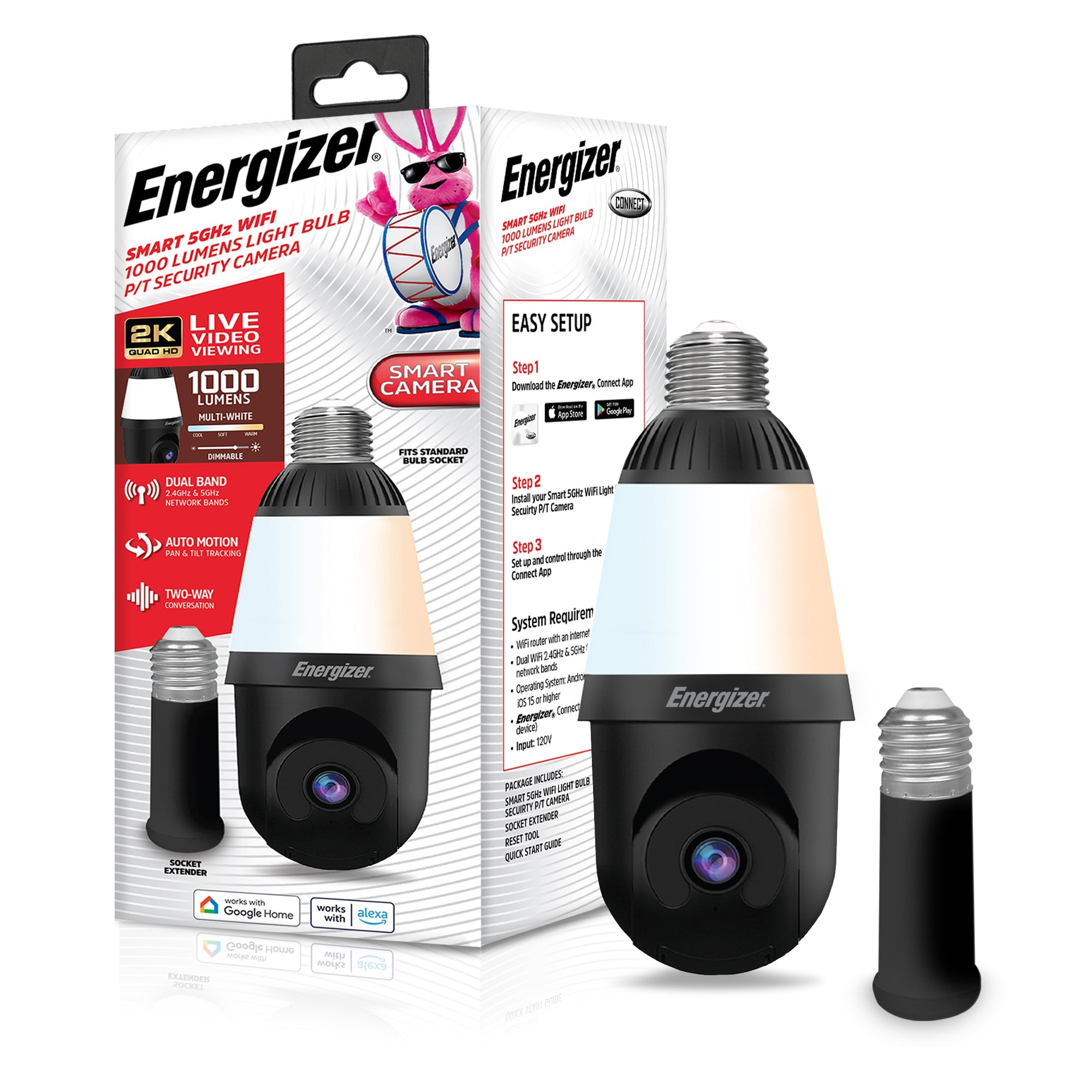
 Smart 5GHz 2K Quad HD WiFi 1000 Lumens Light Bulb P/T Security Camera$79.99In stock
 Smart 5GHz 2K Indoor/Outdoor Socket P/T Security Camera with LED Spotlight$49.99–$149.97In stock
 Smart 4G LTE Cellular Outdoor Battery Pan & Tilt Camera with Solar Panel$149.99In stock
 Energizer 2-Pack Smart 2K Wired Indoor Blue Camera with Light for Night Vision, Foldable for Privacy, 130° Wide Angle$59.98In stock
 Energizer Smart 2K WiFi Indoor Window Camera – AI Detection & Color Night Vision$49.99In stock
12 of 64 products, read 26 h ago
12 of 64 products, prices $9.99–$199.99, as published by the shop (read from the shop 26 h ago; the shop last changed its products 26 November 2026; last change seen here 5 days ago). Prices and stock change; the shop’s website has the current ones.
Opening hours
| Mon–Thu | 10:00–18:00 |
|---|---|
| Fri | 09:00–15:30 |
| Sat, Sun | Closed |
Hours as written on the website.
About
Energizer Holdings, Inc. [NYSE: ENR], headquartered in St. Louis, Missouri, USA, is one of the world’s largest manufacturers of primary batteries and portable lighting products and is anchored by its globally recognized brand Energizer.The Energizer brand is synonymous with world’s first innovation and emerging technologies. We’re leading and shaping the power and portable lighting categories with a powerful portfolio of groundbreaking products and consumer-led innovation. As a global branded distributor of consumer products, our mission is to lead the charge to deliver value to our customers and consumers better than anyone else.
Frequently asked questions
What is ``EZ Pairing Mode``?
The device’s light is rapidly blinking for easy, quick pairing setup.
What is ``AP Mode``?
Access Point mode is a secondary setup process in which the device’s light is slowly blinking and requires multiple steps for pairing. Follow the on-screen step by step instructions.
Can I Share My Devices With Friends and Family?
Yes.There are two ways to share your devices with another phone. It is not necessary to remove devices from the original account.1: Just log in with the same Energizer Connect account information on the additional phone2: Create another accountFirst, create the second account for the additional phone. Log in to the new account on the additional phone.Go to the device that you want to shareOpen the device settings by selecting the ellipsis icon (…) in the top right cornerSelect Shared Devices > Add SharingEnter the account information of the account you wish to share with. Then click…
Can I Rename My Devices?
Yes1: Simply go to the device control screen that you want to rename2: Click the ellipse symbol (3 dots) at the top right corner3: Click on “Name” and then type the new name4: Click confirm
Can I Group Devices Together?
Yes1: Simply go to the device control screen that you want to group2: Click the ellipses symbol (3 dots) at the top right corner3: Click “Create Group” or “Group”4: Select the items you want to group together, click OK5: Enter a group name, click save or confirm6: Your group will now appear in the Panel screen, notated with the group icon
Features
Read from energizerconnect.com. Last read 26 h ago. 10 of 11 key facts have a value; missing: location or service area. Where these facts come from