Hot Key Mouse Pads
Online shop · Loveland, United States · hotkeymousepads.com
Unclaimed · Not verified by owner

Shop software shortcut mouse pads and extended desk mats featuring essential keyboard shortcuts at a glance. Explore software-specific designs for graphic design, photography, video editing, 3D modeling, animation, game development, programming, and office productivity. Ideal for students…
The facts
- Address
- Hot Key Mouse Pads LLC, 4348 McWhinney Boulevard, Unit 1022, Loveland CO 80538, United States Map
- Country
- United States
- Languages
- English
- Ships to
- Worldwide
- Shipping information
- Shipping page
What they sell
Web shop on Shopify: 50 products, $20–$30
Show 18 more categories
 Adobe Photoshop Keyboard Shortcut Mouse Pad for Windows$20–$30In stock
 Adobe Photoshop Keyboard Shortcut Mouse Pad for Mac$20–$30In stock
 QuickBooks Keyboard Shortcut Mouse Pad for Mac$20–$25In stock
 QuickBooks Keyboard Shortcut Mouse Pad for Windows$20–$25In stock
 HitFilm Express Keyboard Shortcut Mouse Pad for Mac$20–$30In stock
 HitFilm Express Keyboard Shortcut Mouse Pad for Windows$20–$30In stock
 Lightworks Keyboard Shortcut Mouse Pad for Mac$20–$30In stock
 Lightworks Keyboard Shortcut Mouse Pad for Windows$20–$30In stock
 CyberLink PhotoDirector Keyboard Shortcut Mouse Pad for Mac$20–$30In stock
 CyberLink PhotoDirector Keyboard Shortcut Mouse Pad for Windows$20–$30In stock
 CyberLink PowerDirector Keyboard Shortcut Mouse Pad for Mac$20–$30In stock
 CyberLink PowerDirector Keyboard Shortcut Mouse Pad for Windows$20–$30In stock
12 of 50 products, read 3 days ago
12 of 50 products, prices $20–$30, as published by the shop (read from the shop 3 days ago; the shop last changed its products 25 November 2026; last change seen here 3 days ago). Prices and stock change; the shop’s website has the current ones.
About
At Hot Key Mouse Pads, we believe that the tools you use every day should do more than occupy space on your desk. They should help you work smarter, develop your skills, and make the most of your software. Our software-specific keyboard shortcut reference mouse pads and extended desk mats transform an everyday workspace essential into a practical productivity resource. By keeping useful keyboard commands visible and within reach, Hot Key Mouse Pads helps software users spend less time searching for commands and more time focusing on what they're creating, developing, and accomplishing.
Frequently asked questions
What are Hot Key Mouse Pads?
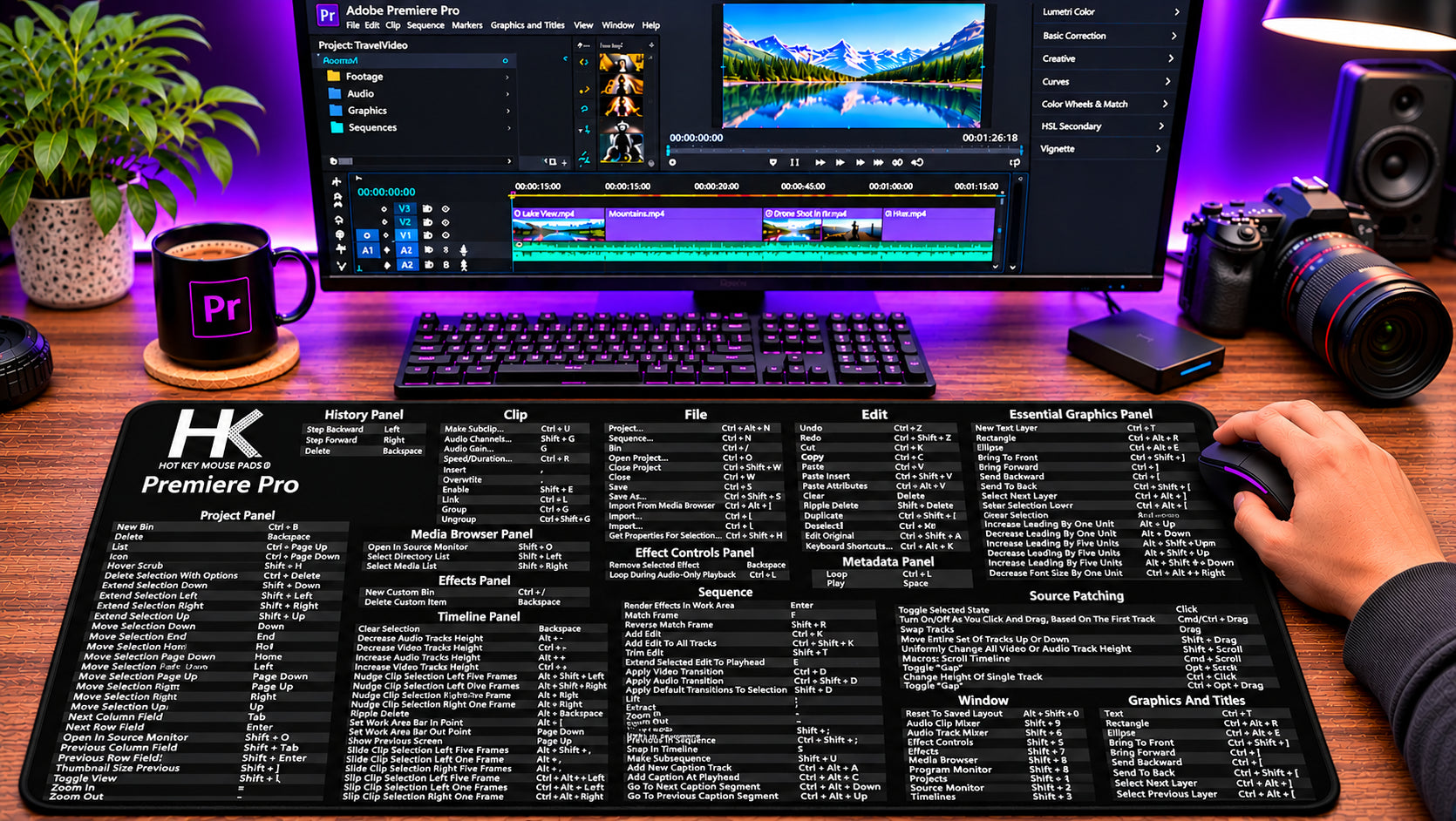
Hot Key Mouse Pads are software-specific keyboard shortcut reference mouse pads and extended desk mats. They combine a functional mouse surface with a convenient visual guide to useful keyboard commands, keeping shortcuts within easy reach while you work.
How are Hot Key Mouse Pads different from regular mouse pads?
Unlike traditional mouse pads, Hot Key Mouse Pads feature printed keyboard shortcut references for specific software programs. This allows users to look up commands directly at their workstation without constantly opening menus or searching for shortcuts online.
Who are Hot Key Mouse Pads designed for?
Our products are designed for anyone who uses software regularly, including graphic designers, photographers, video editors, 3D artists, game developers, programmers, office professionals, business teams, educators, students, and hobbyists.
Do you offer shortcuts for both Windows and macOS?
Compatibility depends on the specific design. Windows and macOS may use different modifier keys and commands, so always check the product description and reference layout before ordering.
Can Hot Key Mouse Pads help improve my workflow?
Keyboard shortcuts can reduce repeated menu navigation and help users access frequently used commands. Having a visual reference on your desk makes those commands easier to find while working. Actual productivity benefits depend on the user and workflow.
Do you offer bulk discounts?
Bulk pricing may be available for qualifying quantities. Contact us with your desired products, quantities, and shipping requirements for current pricing.
Looking for a Quick Answer?
Explore our Frequently Asked Questions for helpful information about software compatibility, keyboard shortcuts, product sizes, ordering, shipping, returns, and more.
What sizes are available?
Our standard mouse pad sizes are 18 × 12 inches, 22 × 12 inches, and 31 × 15.5 inches. Availability may vary by product. Check the individual product listing for available options.
Can I use a Hot Key Mouse Pad with a keyboard and mouse?
Yes. Our larger desk mats provide space for a keyboard and mouse, depending on your equipment and workstation layout. Review the listed dimensions to choose a size that fits your setup.
Which software programs are available?
Our growing collection covers graphic design, photography, video editing, motion graphics, 3D modeling, animation, game development, programming, web development, office productivity, and other software categories. Browse our current products to see available programs.
Will the shortcuts work with the latest software versions?
Software developers may update, remove, or change keyboard shortcuts between versions. Check the product details for available compatibility information, and consult the software developer's official documentation when necessary.
Do the mouse pads include every keyboard shortcut for a program?
Not necessarily. Software programs can contain hundreds of commands, including contextual shortcuts and customizable key combinations. Each mouse pad presents a selected reference layout based on its design and available space.
Can I customize keyboard shortcuts in my software and still use the mouse pad?
Yes, but the printed reference may no longer match commands you've customized. Our layouts are intended as references for the shortcuts shown on the product, so compare them with your current software settings.
What if I don't see my software program listed?
We're continually exploring additional software designs. Contact us with the program name, operating system, and version you'd like to see. Customer requests help us identify potential future products.
How can a shortcut reference mouse pad improve my workflow?
Keyboard shortcuts can reduce repeated menu navigation and help users access frequently used commands. Having a visual reference on your desk makes those commands easier to find while working. Actual productivity benefits depend on the user and workflow.
Can Hot Key Mouse Pads help me learn keyboard shortcuts faster?
A visible reference makes it easier to discover and practice commands without relying entirely on memory. Repeated use may help you become more familiar with shortcuts over time.
Do I need to memorize every shortcut?
No. That's one of the advantages of having a shortcut reference at your workstation. You can check unfamiliar commands when needed and gradually learn the ones you use most frequently.
Read from hotkeymousepads.com. Last read 3 days ago. 8 of 11 key facts have a value; missing: opening hours, features, booking, order, menu or pricing link. Where these facts come from