Nomo Smart Care
Online shop · Edina, United States · nomosmartcare.com
Unclaimed · Not verified by owner

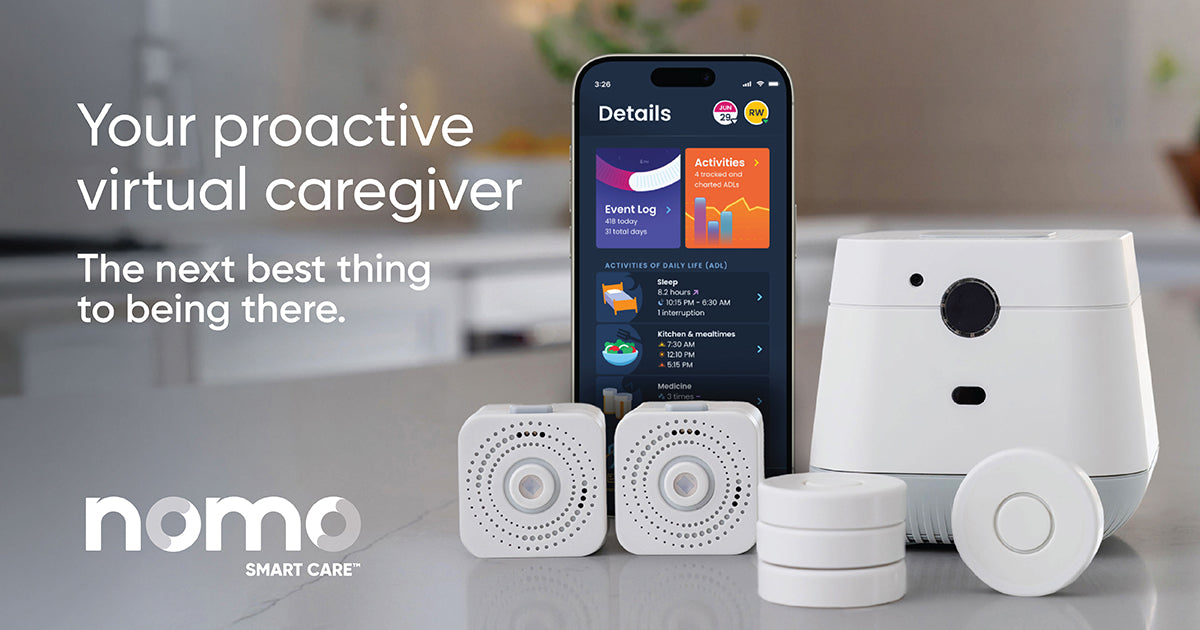
Welcome to Nomo Smart Care, where we offer innovative technology to help caregivers support their loved ones. Buy our Elderly monitoring system, with fall detection & medical alerts, today!
The facts
- Country
- United States
- Phone
- 844-888-88549
- Payment
- Visa, Mastercard, American Express, Pay later
- Languages
- English
- Ships to
- United States
- Shipping information
- Shipping page
- Returns
- within 30 days Returns page
What they sell
Web shop on Shopify: 10 products, $19.99–$199.99
 Nomo Smart Care Bundle$199.99In stock
 Nomo Smart Care Medical ID Bracelet$24.98In stock
 Nomo Smart Care Essential Care Kit$199.99In stock
 Installation$69–$99In stock
 Nomo Essential+ Subscription$19.99–$199.99In stock
 Nomo Smart Blood Pressure Monitor$54.98In stock
 Nomo Non-Contact Smart Thermometer$34.98In stock
 Nomo Satellite Accessory Packs$39.99–$69.99In stock
 Nomo Tag Accessory Packs$24.99–$69.99In stock
 Nomo Essential+ 1 year pre-paid Annual Plan non-recurringIn stock
10 products, read 28 h ago
10 products, prices $19.99–$199.99, as published by the shop (read from the shop 28 h ago; the shop last changed its products 28 November 2026; last change seen here 28 h ago). Prices and stock change; the shop’s website has the current ones.
About
Everything you need to get you started on your caregiving journey Everything you need to get you started on your caregiving journey Everything you need to get you started on your caregiving journey
Prices
| Nomo Smart Care Bundle | $199.99 |
Prices as shown on the website when it was last read; the business may have changed them since.
Frequently asked questions
How do I start the conversation with my loved one about Nomo Smart Care?
Lead with independence, not surveillance: Nomo has no cameras and nothing to wear, and it simply helps you notice when something's off. To learn more, visit our Conversation Guide about Nomo Smart Care.
Where should I install my Nomo Smart Care™ Hub, Satellites, and Tags?
Install the Hub centrally, ideally in a heavily used room where your loved one spends most of their daytime. Plug Satellites into visible wall outlets with an unobstructed view of the area to monitor, and place Tags based on the care you want to provide — fridge, meds cabinet, front door.
What setting(s) must be enabled for Nomo Smart Care to work properly?
The app needs Bluetooth, WiFi, and Location Services permissions. Open the Nomo App, tap Settings, select App Permissions, and choose the permission to change — you'll be directed to your phone's menu to enable it.
Does the Care Recipient need a cell phone?
No — the Care Recipient doesn't need a cell phone or the app. During signup you can add either a cell phone or landline number for them to continue the setup process.
What is your Essential Care Kit warranty?
The Essential Care Kit comes with a 1-year limited warranty for the original purchaser, covering defects in materials and workmanship. Register it at nomosmartcare.com within 90 days of purchase and the warranty extends to 2 years. The sealed Tag batteries are covered for 10 years. Read the full Nomo limited warranty.
Do you accept online payments?
Yes, we accept online payments. All payment processing and vital customer information is quick, easy, and secure.Yes, we accept online payments. All payment processing and vital customer information is quick, easy, and secure.
What is the Essential Care Kit's privacy policy?
We strive to uphold industry-recognized security practices, including principles aligned with SOC 2 standards and HIPAA privacy and security guidelines, across our system and services. All tracking sensor data is encrypted at all times and handled with care. We are committed to not sharing or selling your data, and it is accessible solely by you and your designated Care Circle. Our goal is to provide you with a sense of peace of mind, offering you control and a focus on privacy in managing your loved one's care. We strive to uphold industry-recognized security practices, including principles…
How does the 60-day free trial work?
The 60-day trial starts after you set up your payment for the app. You'll be asked for payment at the end of setup. You can also pay later by going to Settings (bottom right) → Account & Payments → Subscriptions.The 60-day trial starts after you set up your payment for the app. You'll be asked for payment at the end of setup. You can also pay later by going to Settings (bottom right) → Account & Payments → Subscriptions.
Is my payment data safe with you?
All direct payment gateways adhere to the standards set by PCI-DSS as managed by the PCI Security Standards Council, which is a joint effort of brands like Visa, MasterCard, American Express, and Discover.All direct payment gateways adhere to the standards set by PCI-DSS as managed by the PCI Security Standards Council, which is a joint effort of brands like Visa, MasterCard, American Express, and Discover.
What forms of payment do you accept?
We accept payments from major credit card companies like Visa, Mastercard, and American Express.We accept payments from major credit card companies like Visa, Mastercard, and American Express.
Where can I find details about payment and processing for your store?
For more insight, you may also want to read Shopify’s Terms of Service here or Privacy Statement here.For more insight, you may also want to read Shopify’s Terms of Service here or Privacy Statement here.
Can I adjust the sensitivity on the fall detection pendant?
Fall detection on Nomo Smart Care is handled by the Nomo Tags. When a Tag is set up as a pendant and worn on its lanyard, its built-in accelerometer watches for sudden, rapid acceleration followed by an abrupt stop, the motion pattern of a fall. When it detects one, it sends an alert through the Nomo Hub to the Nomo app so the Care Circle can respond, and emergency services can be triggered if needed. The sensitivity can't be adjusted. Fall detection requires an active Essential+ subscription and may not catch every fall, so the Care Recipient should always press the Tag's button if they need…
How do I factory reset my Nomo Smart Care devices?
For Nomo Hub:Press the big button on top for 10 seconds until the LED ring flashes red quicklyLet go when it flashes a few times. The LED will go dark for 2-3 secondsYou'll see a blue 'comet' and hear "Please open the Nomo app to get started"After reset, remove and re-add the Hub through the appFor Nomo Satellite:Hold the button for 10 to 15 seconds until the ring quickly pulses red. Then remove and re-add the Satellite in the app.For Nomo Tag:First click the button once: a red flash means the Tag isn't set up yet and is ready to add; a green flash means it's working. If it is connected, an…
How do I install my Nomo Hub?
Follow these steps:Plug in the Hub - The Hub will greet you: "Hello, my name is Nomo." Follow the app's prompts or go to Settings → Add & Manage Devices.Place the Hub - Position it in a room with a good view of the area you want to monitor. Listen for "Hub is connected."Install Satellites and Tags - Once the Hub is ready, connect satellites and tags following the app's instructions.Follow these steps:Plug in the Hub - The Hub will greet you: "Hello, my name is Nomo." Follow the app's prompts or go to Settings → Add & Manage Devices.Place the Hub - Position it in a room with a good view of the…
How do I install my Nomo Satellites?
Before setting up a Satellite, make sure your Nomo account has been created and your Hub has been installed and activated.Plug in the Satellite in the desired location.In the Nomo app, go to Settings > Add & Manage Devices.Select Satellite and give it a name, such as Bedroom or Kitchen.Press and hold the Satellite button for at least six seconds, until a circular orange comet appears, then let go and let it do the rest.The Hub will announce when the Satellite has been activated.In the app, tap Finish to complete the setup.Before setting up a Satellite, make sure your Nomo account has been…
How do I install my Nomo Smart Care Tags?
Before setting up a Tag, make sure your Nomo account has been created and your Hub has been installed and activated.In the Nomo app, go to Settings > Add & Manage Devices.Select Tag (or pendant) and give it a name and location such as Fridge in Kitchen or Medicine Cabinet in Bathroom.When prompted, press and hold the button on the Tag until the flashing green lights appear, then let go and let it do the rest.The Hub will announce when the Tag has been activated.In the app, tap Finish to complete the setup.Before setting up a Tag, make sure your Nomo account has been created and your Hub has…
How do I remove a linked device from my system?
Log in to the Nomo AppTap Settings in the bottom-right cornerSelect Add & Manage DevicesTap on the device you want to removeSelect Remove Device to unlink it from your systemLog in to the Nomo AppTap Settings in the bottom-right cornerSelect Add & Manage DevicesTap on the device you want to removeSelect Remove Device to unlink it from your system
I am having trouble connecting my Nomo Smart Care device to Wi-Fi.
Having trouble connecting Nomo to your Wi-Fi? First, make sure your Nomo Smart Care device is within range of your router. Moving it closer, or away from thick walls, microwaves, and other electronics, often solves the problem. Second - Make sure you are using the correct password. Most passwords are case-sensitive. Please verify you are using the correct password. Third - Nomo only uses a 2.4 GHz network, so if your router broadcasts both make sure the 2.4 GHz is turned on and working. If you are having trouble, you could contact your internet provider to make sure the 2.4 GHz channel is…
What do I need before I set up the kit?
A private wireless internet connection (network name and password), and a smartphone or tablet running iOS 14.1 or later or Android 8.0 (Oreo) or later. These are not included. Have your loved one's contact information (phone number and address) and their Wi-Fi network name and password ready. 2.4 GHz must be enabled on your Wi-Fi (unless disabled, this should already be enabled).
What does the Hub do?
The Hub is the heart of the system. It senses motion, connects to Wi-Fi, and lets the family call in through the Hub with two-way talk. It has a microphone and speaker for calls over Nomo's private phone network, an LED ring and a privacy switch on the back. Firmware updates are pushed automatically.
Features
Read from nomosmartcare.com. Last read 28 h ago. 9 of 11 key facts have a value; missing: location or service area, opening hours. Where these facts come from