Destroyit Shredder
Shops & Retail in San Diego · Web shop on Shopify · destroyit-shredder.com
Dispose of sensitive information with world-renowned MBM Destroyit Shredders. Purchase any Office, Industrial, or Multimedia Shredder at the Best Prices.
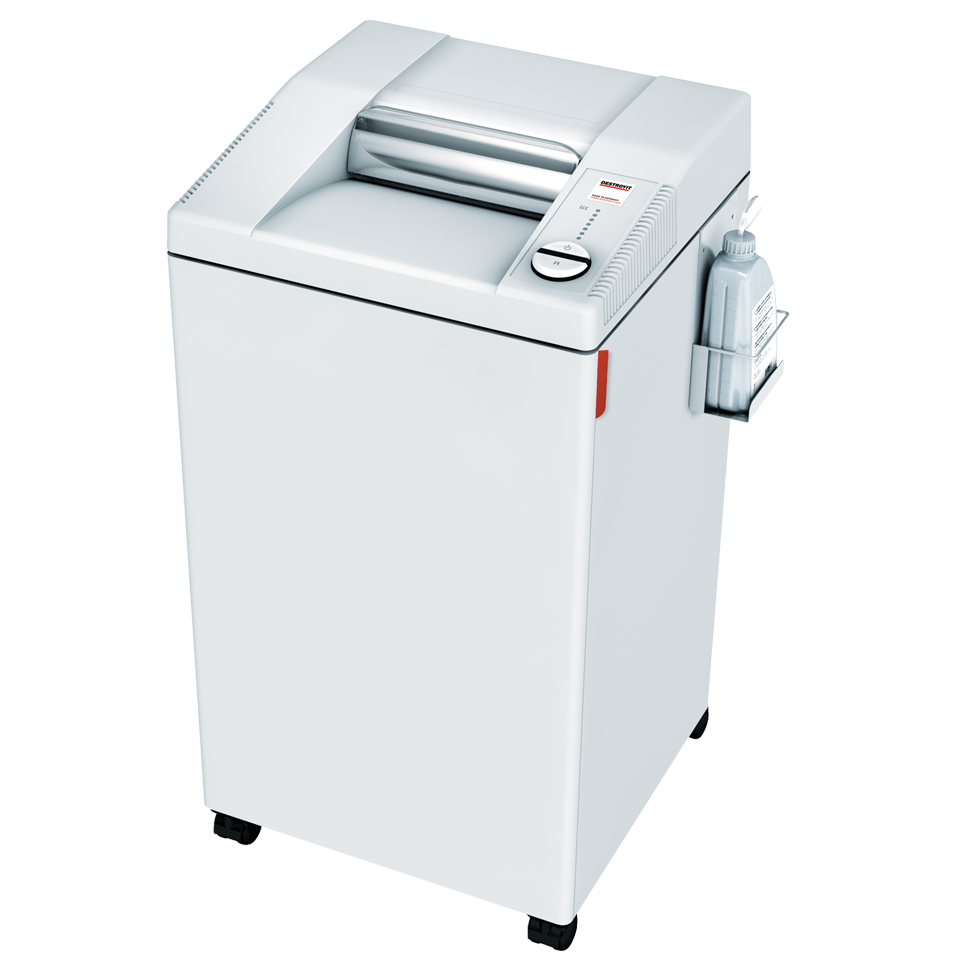
- Country
- United States
- Phone
- (800) 992-5279
- Founded
- 1954
- Payment
- iDEAL
- Languages
- English
- Ships to
- United States
- Shipping information
- Shipping page
What they sell
Web shop on Shopify: 77 products, $114–$15,433.95
Show 14 more categories
 MBM Destroyit 4003 Super Micro Cut Shredder (P-7)$4,643.97In stock
- MBM Destroyit 4003 Cross Cut Shredder (P-5)$4,007In stock
- MBM Destroyit 4003 Cross Cut Shredder (P-4)$4,007In stock
 MBM Destroyit 4003 Strip Cut Shredder (P-2)$3,445In stock
 MBM Destroyit 4001 Cross Cut Shredder (P-5)$3,445In stock
- MBM Destroyit 4001 Cross Cut Shredder (P-4)$3,445In stock
 MBM Destroyit HDP 0102 - Hard Drive Puncher / Degausser$11,089.77In stock
 MBM Destroyit HDP 0101 - Hard Drive Punch$7,348.95In stock
 MBM Destroyit 2265 Strip Cut Shredder (P-2)$371.70In stock
 MBM Destroyit 2404 Strip Cut Shredder (P-2)$742.35In stock
 Auto-Oiler for Destroyit High Capacity Shredders$1,236.88In stock
 MBM Destroyit Collection Cart for 5009 Shredders$1,996.07In stock
12 of 77 products, prices $114–$15,433.95, as published by the shop (read from the shop 3 days ago; the shop last changed its products 22 November 2026; last change seen here 3 days ago). Prices and stock change; the shop’s website has the current ones.
About
Stay up to date and receive best deals/discounts by subscribing to our newsletter. Unsubscribe any time! Get Free Supplies & Shipping with your Order (on Exclusive Models) MBM Corporation stands as one of the most trusted names in information destruction. Headquartered in South Carolina, MBM Destroyit offers a comprehensive range of business shredding solutions, from compact deskside units to robust industrial-grade models. Every Destroyit shredder is engineered for superior quality and lasting performance.
Prices
| Free Delivery Free SuppliesSave | $702.00 |
| Free SuppliesSave | $309.40 |
Prices as shown on the website when it was last read; the business may have changed them since.
Frequently asked questions
What makes Destroyit shredders different from regular shredders?
Destroyit shredders are engineered in Germany with a focus on durability, precision, and reliability. They are built for long service life across offices, institutions, and high-security environments, offering a wide range of models tailored to different needs.Notable features available across the line include:Security levels ranging from P-2 to P-7Sheet capacities from 5 to 700 sheets per passHardened steel cutting shafts, many covered by lifetime warrantyQuiet, energy-efficient motors designed for continuous operationPatented safety and performance technologiesIntuitive features and control
Which Destroyit shredder is right for my office?
Choosing the right Destroyit shredder depends on how much you shred each day, how many people will use the machine, and the level of security required for your documents.Destroyit shredder categories and examples:Deskside shredders: Compact machines for individual workstations. For deskside use models like the Destroyit 2445, 2265, and 2465.Office shredders: Reliable machines for shared office environments. For mid-size offices, options include the Destroyit 3104, 4001, and 4003.High-capacity shredders: Designed for in-house document disposal that process paper, binders, and bulk materials. Fo
Do Destroyit shredders meet government security standards?
Yes. Destroyit high-security models with P-7 security standards under DIN 66399 and a super micro-cut size of 1/32 x 3/16 inches (0.8 x 5 mm) meet strict government requirements for highly classified document destruction. One of the example is Destroyit 2360 SMC high security NSA/CSS listed shredder for highly classified government use.
Which safety and performance technologies are offered in Destroyit office shredders?
Destroyit office shredders are equipped with safety, control, and efficiency features designed to handle daily office workloads securely. Depending on the model, these include advanced protection systems, real-time performance indicators, and energy-saving functions.Key features available in office models:Safety Protection System (SPS): Combines patented design elements, including a transparent safety shield in the feed opening, automatic stop when the bin is full or cabinet opens, reverse and cut-off to prevent overfeeding, and overheating protection.Easy Switch control element: Illuminated c
What materials besides paper can Destroyit shredders handle?
Destroyit shredders are built to handle more than just paper, but the range of materials depends on the model type. Capabilities differ by model, so specifications should be consulted before use.Office shredders: Some office shedders can process other materials like paper clips, staples, credit cards and optical media such as CDs and DVDs. Industrial models: Some Destroyit Industrial models are designed with reinforced cutting units for tough high-volume jobs. These can process hardbound documents and full-sized 3-ring binders. The MBM Destroyit 5009 Industrial Shredder is a leading example.Sp
What is the warranty coverage for MBM Destroyit shredders?
Destroyit shredders use high-grade, hardened solid steel cutting shafts that are covered by strong warranties. Warranty terms differ between deskside, office, high-capacity, and super micro-cut machines.Warranty coverage by category:Deskside & Office (strip-cut and cross-cut): • Lifetime limited warranty on cutting shafts and cutting wheels • 3 years on other parts (excluding wearables) • 90 days on labor or exchange at MBM’s discretionHigh-Capacity & Super Micro-Cut (SMC): • 1 year on cutting shafts and cutting wheels • 1 year on all other parts (excluding wearables)Contact our customer servi
Why is my shredder not starting?
A shredder may not start if a setup step is missed or a safety feature is active. Destroyit shredders are designed with sensors and protections that stop operation until the issue is resolved.What to check:Confirm the machine is plugged inCheck that the rocker power switch is pressed and the green light is on, then insert paper.Feed paper into the center of the opening so the photo cell can detect itMake sure the bin door is fully closed, as shredders will not operate with the door open.If the “bin full” indicator is lit, empty the bin and shake the container to ensure clean removal. If needed
How do I prevent paper jams?
Jams usually happen when too much paper is fed at once, sheets are misaligned, or maintenance is skipped. Destroyit shredders reduce this risk with automatic reverse, automatic stop when the bin is full, and safety flap functions.Steps to prevent jams:Do not exceed the recommended sheet capacity when feeding paperEnsure sheets are properly aligned before shreddingEmpty the bin before it becomes full to avoid backup and blockageOil the shredder as recommended to keep smooth operation of the cutting blades
How do I fix a shredder jam?
Steps to clear jams in MBM Destroyit shredders:On Centralized Office Shredders, the Electronic Capacity Control (ECC) uses LED signals to monitor sheet capacity relative to the model’s rated maximum: • Green = within safe range for continuous shredding • Yellow = approaching the model’s maximum sheet capacity • Red = too much paper inserted, over the rated limitIf too much paper is inserted, the shredder stops automaticallyAutomatic reverse engages and the ON/OFF power symbol will flashIf required, press the rocker switch “R” to run in reverse with the safety flap open and pull out jammed pape
Need more help?
Did none of the specified solutions resolve the issue? Contact us for further assistance
How do I manually oil my shredder?
Oiling a shredder keeps the cutting shafts clean and sharp, maintains maximum sheet capacity, and ensures smooth operation. It can be done either by applying oil directly into the feed opening or by preparing oiled sheets and shredding them.Ways to oil your shredder:Direct application: Apply Destroyit shredder oil in a steady line back and forth across the shredder feed opening (cutting mechanism)Oiled sheets method: Drip oil onto a few sheets of paper in an X or S pattern, then feed the sheets into the shredder to distribute the lubricant across the cutting mechanismMaintenance tip:Oil the sh
Why is the oil light flashing on my shredder?
The oil indicator light shows the status of the automatic oiler. It signals when the cutting shafts are being lubricated or when the oil bottle is empty and needs to be replaced.What the signals mean:Flashing LED (A): Cutting shafts are automatically oiledFlashing LED (B): Oil bottle is empty and should be replacedHow to reset the oil indicator:When using the shredder for the first time, or when changing the oil bottle:Turn the shredder on by pressing the rocker power switchPress and hold the rocker switch “R” until LED (B) stops blinking Need more help? Did none of these steps resolve the iss
Any question?
If your question isn’t answered above, our team is here to help. Contact us and we’ll get back to you with the information or support you need.