
Dragon Touch
Shops & Retail in Frederick · Web shop on Shopify · dragontouch.com
Explore Dragon Touch’s smart Digital Calendars and Frames. Organize schedules, display memories, and simplify home life with powerful family-friendly tech.
- Country
- United States
- Opening hours
- Our customer support is available Monday to Friday: 9am-5:00pm.Details
- cs@dragontouch.com
- Languages
- English
- Ships to
- United States, Australia, Germany, Spain, France, United Kingdom, Italy
- Shipping information
- Shipping page
- Free shipping
- from $99
- Returns
- within 30 days Returns page
What they sell
Web shop on Shopify: 9 products, $49.99–$249.99
 10.1" WiFi Touch Screen Digital Picture Frame$49.99In stock
 Classic 10 Elite Digital Picture Frame$79.99In stock
 10.1" WiFi Touch Screen Digital Picture Frame 32GB$59.99In stock
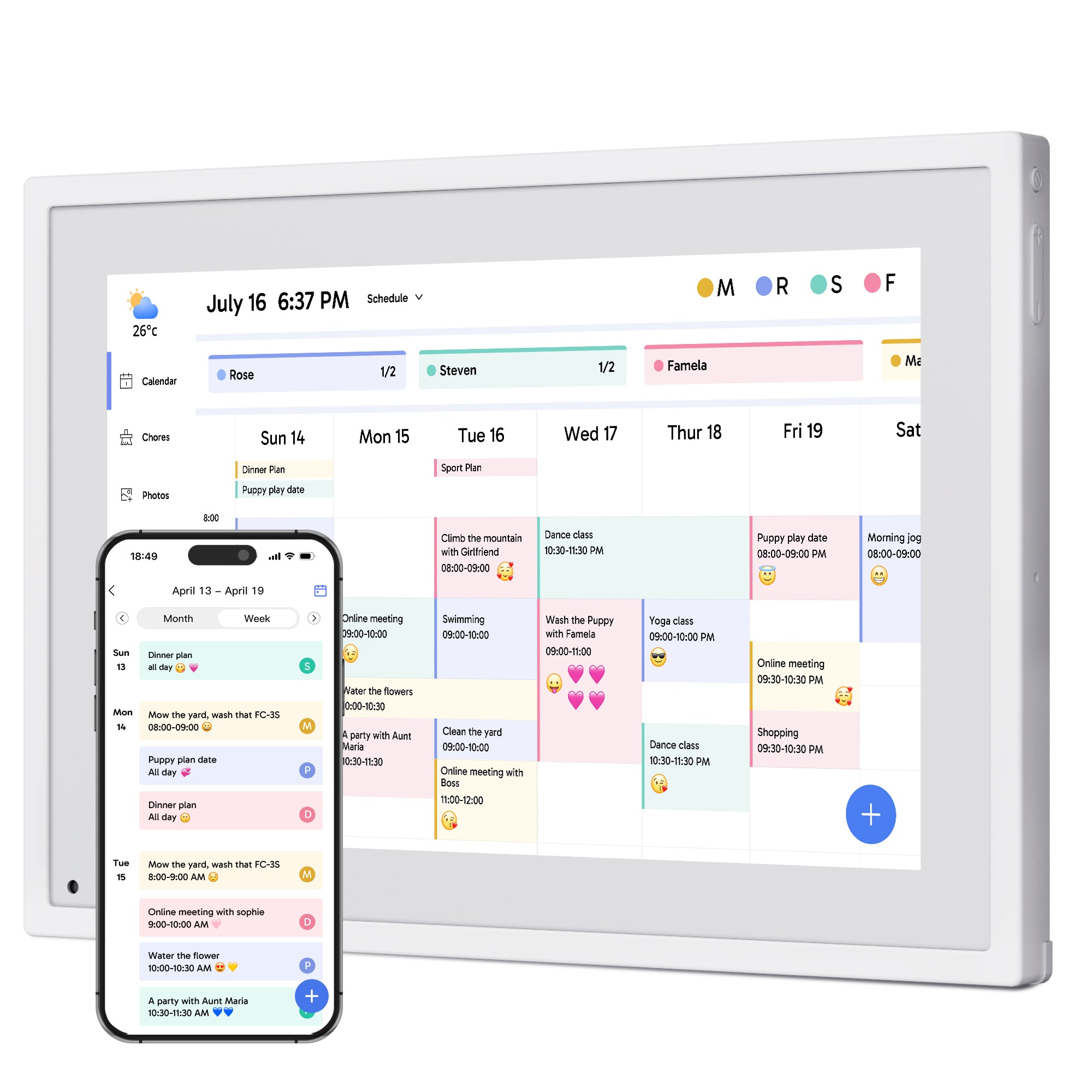
 Dragon Touch Family Calendar$124.99–$679.99In stock
 Dragon Touch Digital Calendar$124.99–$679.99In stock
 15.6" WiFi Touch Screen Digital Picture Frame$99.99In stock
 Dragon Touch 15.6" Digital Calendar$249Out of stock
 Dragon Touch 4G LTE Cellular Security Camera$229.99Out of stock
 21.5 inch WiFi Large Digital Photo Frame$249.99Out of stock
9 products, prices $49.99–$249.99, as published by the shop (read from the shop 12 h ago; the shop last changed its products 22 November 2026; last change seen here 12 h ago). Prices and stock change; the shop’s website has the current ones.
Opening hours
| Our customer support is available Monday to Friday: 9am-5:00pm. |
Hours as written on the website.
About
Describe what your customers will receive when subscribing to your newsletter. If you have a busy house hold, this calendar is definitely the one for you. Not only can you keep everyone on the same page but you can also enjoy wonderful photos of your friends and family. Family activities and life move fast. Having everyone connected in one place makes this digital calendar a valuable asset for the whole family.
Services
- Find the Right Fit for You
- You may also like
Prices
| Sale price | $124.99 |
| Free shipping for orders over | $99 |
| Regular price | $149.99 |
| Sold outSave | $50.00 |
| Save | $30.00 |
Prices as shown on the website when it was last read; the business may have changed them since.
Frequently asked questions
Do Dragon Touch products run on batteries?
No. Dragon Touch products need to be plugged in to an electrical outlet to work.
Do Dragon Touch product support uploading audio?
Yes. We support uploading audio. Dragon Touch products support both video and audio uploading.
When will my order ship?
We do our best to process and ship orders within 1-2 business days (Monday-Friday except on holidays). If you have any questions about your order, please contact our friendly Customer Service via cs@dragontouch.com and we'll be glad to help.
How can I get the tracking info of my order?
If you ordered from DRAGONTOUCH website, tracking info will come out within 2-5 business days normally, or you can contact customer support for the tracking number if you are urgent.
What is Dragon Touch's return and replacement policy?
100% Satisfaction Guarantee for your peace of mind. If at any time within 30 days of receiving your order, you are not 100% satisfied, you may return it to us for a refund. No questions asked.
How can I get more help or support?
Please always feel free to reach out to our support team via email at cs@dragontouch.com�or visit our help center to learn more.
Warranty and Customer Service
Dragon Touch digital products are covered by a 1-Year Warranty. Products ordered onwww.dragontouch.comwill be automatically extended to a 2-year warranty.Undamaged products may be returned for a full refund for any reason within 30 days of the date the item was delivered to the designated shipping address. Contact us via cs@akasotech.com Phone support: 1-888-466-9222 (US) Monday-Friday 9:00-17:00(EST)
When will the item ordered from the DRAGONTOUCH website shipped out?
We will arrange the shipment within 2 business days normally, and there may be a delay if with inventory trouble or on weekend days. Thanks for your kind understanding.
Does Dragon Touch offer free Star-Powered Rewards and Meal Planning features?
Yes! Dragon Touch offers both the Star-Powered Rewards system and Meal Planning features completely free of charge. You can use them right away without any subscription or additional fees.
How can I install Dragon Touch calendar on the wall?
Installing Dragon Touch Calendar is easy! It comes with a wall mount and all necessary hardware. For detailed instructions, check out the Dragontouch Calendar Installation Guide.
How to create an account on eCalendar APP?
Please click "Register" to create a new account.Enter your email、password and your name.Please choose to bind new frame or an existing frame.
Can a 32-inch calendar be placed on a stand?
No, a 32-inch calendar must be wall mounted.
What calendars can I sync with Dragon Touch?
Dragon Touch Calendar currently supports syncing with Google, Apple, Outlook, Yahoo and Cozi Calendars, as well as most calendars with a public sharing link. You can sync calendars using our mobile app (eCalendar).
How do Family Members Add a Calendar?
To add a Calendar: please refer to the following steps:Open the calendar APP > Click "Add Device">Select "eCalendar Calendar" and click "OK".Select "NO and click "OK".Enter the calendar email address of the device you need to add.(You can check the calendar email address in the settings → General → Calendar Email" sectionon the calendar device side.The calendar email address can be viewed on the interface of the calendar APP.)The email address bound to the calendar APP will receive a link for applying to bind the calendar. Open the link,Click "Accept" and choose a browser to open the link.When
Do you need an Internet connection to use Dragon Touch Calendar?
Yes, Dragon Touch Calendar needs a WiFi connection at all times to operate.
How to use Rewards feature
1. Personalized Reward StoreFreely set reward rules: from small snacks (1 star for a lollipop) to experience rewards (100 stars for zoo tickets).Support long-term goal progress bar display (e.g., "save 50 stars for game time") to maintain motivation.2. Transparent Point SystemIndependent member accounts, real-time display of star accumulation progress and reward redemption status.For detailed instructions, please click here.
How to use Calendar Photo Feature
Step 1:View Photos Open the eCalendar app, select a calendar,and tap the "Photos" button to browse all uploaded photos.Step 2:Add Photos Tap the bottom-right "Add Photo" button to upload up to 9 photos at a time.Step 3:Upload VideoVideos can also be uploaded.For smoother performance, upload photos and videos separately. Each video must be under 200MB.For detailed instructions, please click here.
Supported Photo and Video Formats
The frame currently supports the following photo file formats:BMP, JPG, GIF, PNGAudio Format: Mp3, WMA, OGG, AAC, APE, FLAC, WAVVideo Format: MPEG1, MPEG2, MPEG4, Xvid, AVI, M-JPEG, H.264, MOV, VOB , MKV, DIVX4, DIVX5, DIVX33GP
Can I share an image from a third party platform to a frame?
We are sorry that our frame cannot accept photos and videos from other apps (such as Google Photos, iCloud Photos, Amazon Photos, etc.) to be shared directly to the frame.However, you can upload photos from third-party apps through our APP, email, SD card, USB cable or USB flash drive.