
FlightSimBuilder
Shops & Retail in San Diego · Web shop on Shopify · flightsimbuilder.com
Flight Sim Builder
- Address
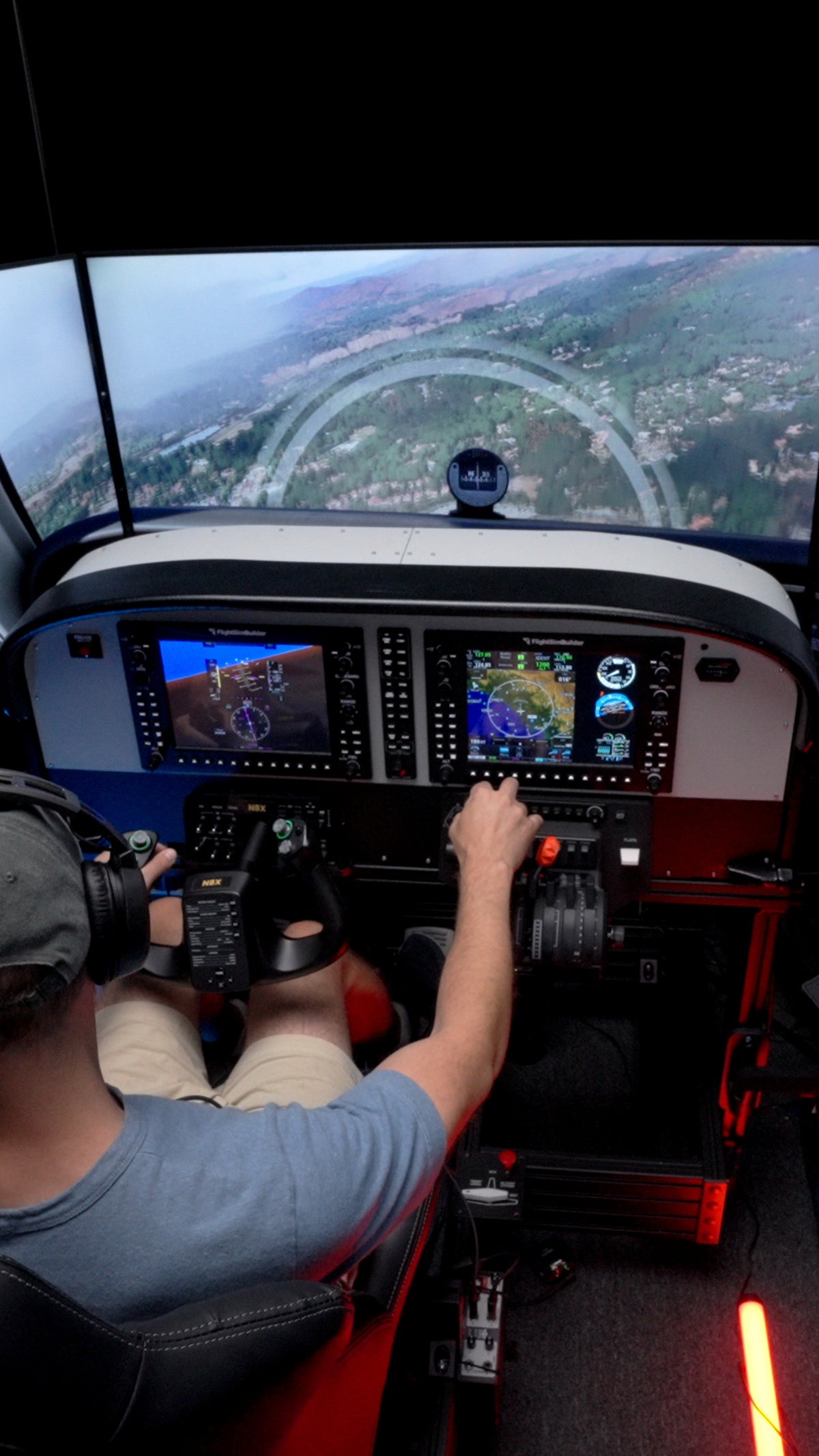
- MSFS 2020, 2024 and X-Plane compatible. PC only. Map
- Country
- United States
- Payment
- Shop Pay, Gift card
- Languages
- English
- Ships to
- United States
- Shipping information
- Shipping page
What they sell
Web shop on Shopify: 59 products, $1.21–$21,175
Show 11 more categories
 Flight Velocity Model 172 v1$580.80In stock
 Flagship Panel – Moza AY210 Yoke Upgrade Kit$447.70In stock
 Flagship Desktop Panel - Panel Only$1,028.50–$1,149.50In stock
 Flight Velocity Model 172 v2 - Panel Only$532.40In stock
 Flight Velocity Pro 1 - Panel Only$435.60In stock
 Flight Velocity Pro6 UDM - Panel Only$435.60In stock
 NLR stand extension plate for FSB Panel$114.95In stock
- Flight Velocity Model 172 v1 - Panel Only$580.80In stock
- Flagship Desktop Panel$1,028.50–$1,149.50In stock
- Flight Velocity Pro6 UDM$435.60In stock
- Flight Velocity Pro 1$435.60In stock
- Flight Velocity Model 172 v2$532.40In stock
12 of 59 products, prices $1.21–$21,175, as published by the shop (read from the shop 5 h ago; the shop last changed its products 23 November 2026; last change seen here 5 h ago). Prices and stock change; the shop’s website has the current ones.
About
G1000 · NXi · G3X · G600TXi · Steam Gauges · GTN 750Xi — switch in flight. 20% off all FlightSimBuilder avionics, panels and stands. Complete simulators, PCs and monitors are not included. Sign up and shop it today, ahead of the public sale. Unlock 20% off → If you are not satisfied with our product, you have 30 day to return the product with no restocking fee, as long as it's in the "like new" condition. Please see our Return Policy.
Services
- FlightSimBuilder Steam Gauges
Prices
| Starting at | $11,800 |
| Multi Profile. Touch Option. | $907.50 |
| Native Avionics included | $580.80 |
| FlightSimBuilder Steam Gauges | $580.80 |
| The highest price is | $17,500.00 |
Prices as shown on the website when it was last read; the business may have changed them since.
Frequently asked questions
Catalog
Catalog Next Gen G1000 TNxi Bundles Complete Flight Simulators Avionics Panel Switches Metal Stands & Mounts Consultations Blank Panels Custom Panels
How long until my order ships?
When you check out, the system calculates your delivery date and shows it on the website and again on the order confirmation page. Orders usually ship within 1–5 business days, though this can increase during periods of high demand.
Do you ship worldwide? What about customs and duties?
Yes — we ship worldwide, with shipping calculated for your address at checkout. For orders outside the US, import duties or taxes may apply. For select countries, these import fees are shown and collected right at checkout to simplify delivery; for other destinations they're collected by the carrier before delivery.
How do I track my order?
Once your order ships we email you a carrier tracking number. You can also check your order status any time on our order tracking page.
How do I set up my panel?
Connect the unit by USB and install the free FlightSimBuilder Hub. The Hub does all the input mapping for you — you do not need to create or assign controller profiles inside MSFS. See our setup instructions for step-by-step guides. Keep the Hub updated to the latest version and you're ready to fly.
Do I need to configure the controls in MSFS?
No. MSFS detects the unit as a new controller with empty bindings — that's normal and should stay that way. The Hub handles the mapping, and adding your own bindings in MSFS can cause double-inputs. Also normal: the Hub's Sim Connection: Starting status — it won't switch to Connected, and that's fine.
Which simulators are supported?
MSFS (2020 and 2024) and X-Plane. Both are supported; while MSFS 2024 continues to mature, we currently see the most consistent results on MSFS 2020.
Something isn't working — how do I troubleshoot?
Three quick steps clear up most issues: update to the latest Hub version; test with a default aircraft (like the stock Cessna 172) before third-party planes; and temporarily move other add-ons out of your MSFS Community folder to rule out conflicts. For more, see our troubleshooting page — or email us a screenshot of the Hub and we'll get you sorted.
What's the difference between pop-out and native profiles?
Pop-out profiles (G1000, G1000 NXi, G3X Touch) display the simulator's own avionics screens — pixel-perfect and always current with sim updates, but they only work in aircraft equipped with those avionics and need the screen popped out each session. Native profiles (Steam Gauges, G600TXi) are rendered by the FlightSimBuilder Hub from live sim data, and the GTN 750Xi is rendered by TDS's own software with deep Hub integration — either way: no pop-out, no per-flight setup, no pop-out FPS cost, and they work in any aircraft. The TNxi does all three; single-purpose panels do pop-outs only.
Does profile switching require restarting the sim?
No — you can switch profiles in flight. Change the dropdown in the FlightSimBuilder Hub and your panel becomes a different avionics suite without restarting the sim or reloading the aircraft. Fly a G1000 leg, switch to the GTN 750Xi for the approach, all in the same session.
Can I add the touchscreen later if I buy the non-touch version?
No — the touch digitizer is integrated at assembly and can't be retrofitted later. We recommend choosing Touch up front: it's a $100 difference, and 95% of our customers go with it.
Do I need two units for a full PFD + MFD setup?
Yes — like the real G1000, the PFD and MFD are separate displays. Each FSB unit can run either role (or any of the other six profiles), so a two-unit setup gives you a complete glass cockpit that can also become a G3X Touch pair or a TXi + GTN stack.
What's the warranty?
Every product is covered by a 2-year warranty. If anything isn't right within that period, email us and we'll inspect, repair, or replace it — no charge for the repair itself. You cover shipping the unit to us, and we cover shipping it back to you.
Can I mount it on a desk, or in a real aircraft panel?
Both. Units include panel-mounting brackets, and for a quick desktop setup you can use one of our stands. When you're ready, the same unit drops into an integrated aircraft panel and frame.
Can I grow this into a full cockpit later?
Yes — and without leaving the FSB ecosystem. FlightSimBuilder units are built with flush panel-mounting provisions, FlightVelocity's panel lineup is now part of FlightSimBuilder, and our own aluminum frame gives you a structure to expand into a complete cockpit over time. Start with one panel on your desk; end up with a full flight deck — same hardware, same Hub software, one vendor.
Availability
0 selected Reset Availability In stock (46) In stock (46 products) Out of stock (13) Out of stock (13 products)
Price
The highest price is $17,500.00 Reset $ From $ To
Filter and sort Filter
Filter and sort Filter 59 products Availability Availability In stock (46) In stock (46 products) Out of stock (13) Out of stock (13 products) Clear Apply Price Price The highest price is $17,500.00 $ From $ To Clear Apply Sort by: Featured Most relevant Best selling Alphabetically, A-Z Alphabetically, Z-A Price, low to high Price, high to low Date, old to new Date, new to old Remove all Apply