FreeX
Shops & Retail in Los Angeles · Web shop on Shopify · getfreex.com
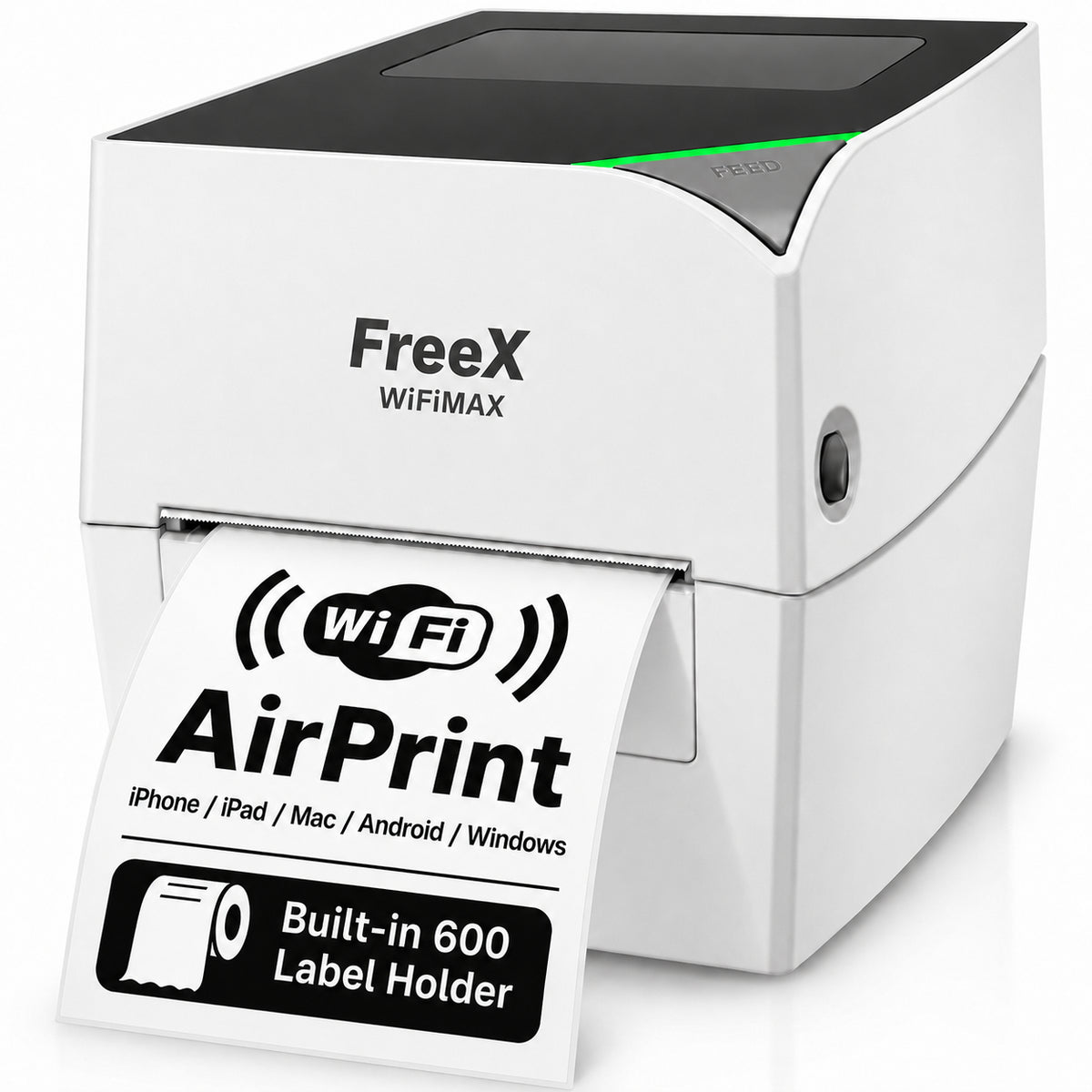
FreeX, the world's no.1 WiFi direct thermal printer for 4x6 shipping labels with both Mac & Windows and a built-in SuperRoll label holder!
- Country
- United States
- Opening hours
- Business Hours: Mon - Fri 10 a.m. - 6 p.m. PSTDetails
- cs@getfreex.com
- Payment
- PayPal, iDEAL
- Languages
- English
- Ships to
- United States, Canada
- Shipping information
- Shipping page
What they sell
Web shop on Shopify: 8 products, $14.99–$299.99
 FreeX WiFiMAX AirPrint Thermal Label Printer | Wirelessly print 4x6 labels on iOS, macOS, Android, Windows, and more!$299.99In stock
 [Refurbished] FreeX USB SuperRoll Thermal Printer for 4x6 Shipping Label and More$129.97In stock
 FreeX USB SuperRoll Thermal Printer for 4x6 Shipping Label and More$149.99In stock
 FreeX Printer USB Cable$14.99In stock
 FreeX Printer Power Adapter, DC Charger Power Supply Cord$29.99In stock
 FreeX Commercial-grade 4x6 Shipping Thermal Labels (SuperRoll 600 Labels/Roll, Standard Roll 450 Labels, Lite Roll 250 Labels/Roll, Fanfold Stack 500 Labels) (1$14.99–$179.99In stock
 FreeX WiFi SuperRoll Thermal Printer for 4x6 Shipping Label and More$199.99In stock
 [Refurbished] FreeX WiFi SuperRoll Thermal Printer for 4x6 Shipping Label and More$179.97Out of stock
8 products, prices $14.99–$299.99, as published by the shop (read from the shop 10 h ago; the shop last changed its products 22 November 2026; last change seen here 10 h ago). Prices and stock change; the shop’s website has the current ones.
Opening hours
| Business Hours: Mon - Fri 10 a.m. - 6 p.m. PST |
Hours as written on the website.
About
FreeX is about giving you the freedom you deserve and freeing you from inconvenience. Our FreeX Wireless SuperRoll Thermal Printer is designed to make your life easier and hassle free. FreeX lets you print freely from any location. Our compact design makes FreeX perfect for any office or home, and our cool features like the SuperRoll label holder aim to save you time and money. Are you having issues setting up? Refer to our Quick Start Guide to help you set up your FreeX smoothly. And if you have any additional questions, visit our FreeX FAQ page that has all the answers you need.
Services
- Customer Reviews
- You may also like
Prices
| FreeX WiFiMAX AirPrint Thermal Label Printer | Wirelessly print 4x6 labels on iO | $299.99 |
| FreeX Commercial-grade 4x6 Shipping Thermal Labels (SuperRoll 600 Labels/Roll, S | $24.99 |
| FreeX WiFi SuperRoll Thermal Printer for 4x6 Shipping Label and More | $199.99 |
Prices as shown on the website when it was last read; the business may have changed them since.
Frequently asked questions
Q2. What is a thermal printer, and why doesn’t it use ink?
Thermal printers use heat to create images on specially coated thermal paper. Instead of ink or toner, the coating reacts to heat, producing sharp, clear prints—saving you money on refills.
Q3. What can I print with a thermal printer?
Thermal printers are ideal for shipping labels, product labels, barcode stickers, and more.
Q4. What is the FreeX SuperRoll label holder feature?
The SuperRoll label holder makes FreeX more compact than other thermal printers. It holds 600 labels, compared to the standard 450-label capacity of other brands. Dimensions: 7.87 x 6.84 x 7.05 inches.
Q5. What label types are compatible with FreeX?
FreeX is non-proprietary, meaning it works with any direct thermal labels—saving you money. It automatically detects and adjusts to label sizes from 0.78 to 4.1 inches (20 to 104mm) in width.
Q6. Can I print from my phone or tablet?
Yes! The FreeX WiFiMAX model supports AirPrint (iOS/macOS) for iPhone, iPad, Mac, and MacBook. It also supports WiFi printing for Android, Windows, and Chromebook. (Not compatible with Linux)
Q7. Does FreeX support Bluetooth?
No, FreeX uses a WiFi connection, which is way faster, way more stable, and offers much wider compatibility than traditional Bluetooth printing.
Q8. What command line does FreeX support? TSC? TSPL? ZPL?
All FreeX printer models support TSC and TSPL commands but only FreeX WiFi (NOT WiFiMAX) model supports ZPL at this time!
Q9. Does FreeX printers support .PRN files?
Yes, but ONLY with a USB connection.
Q10. Does FreeX printers support Chromebook?
The FreeX WiFiMAX model is the only one that supports Chromebook. Please be advised that you cannot add the printer to the Chromebook OS. Instead, you can print it as a network printer since it is a driver-free printer that is discoverable within the same WiFi network.
Still Have Questions?
📧 Email us at cs@getfreex.com, and we’ll be happy to assist you!
Q1. What to do if you encounter any unexpected issue at anytime?
Perform a quick factory reset will resolve 95% of the issues.
Q2. What to do if the printer doesn't feed automatically (indicator like the red or yellow light keeps flashing after a completed factory reset action above)?
please follow these simple steps.
Q6 If you see unrecognizable om/oe paper size on Chrome browser on MacOS, how to create a custom 4x6 label?
Method 1: Choose paper size om w283h425
Q8. How to print in more contrast?
For better printing contrast on Windows, please follow this video starting from 18:56.
Q9. How to refill labels?
Option 1: Labels in rolls
Q10. Why does a label come out every time you turn on the printer?
When you turn the printer off and on, an empty label will come out because the printer finds the beginning of a new label so it is ready to go and print. We recommend keeping the printer on so no label are wasted.
Q11. Why did the label come out blank?
There are a few reasons for this:
Q12. Why isn't my label completely printed? Why is it cut off?
You need to make sure you set the right paper size when printing your label. It should be 4x6 or 100x150mm.
What to do if FreeX couldn't auto calibrate the feeding? How to reset the feeding?
Try holding down the feed button for 5-10 seconds and see if it will calibrate for you.
Q16. How to update the printer firmware?
1. Open the Toolbox software, click "Download" on the bottom right.