
GuruSquad
Software & SaaS in Gainesville · Web shop on Shopify · gurusquad.com
GuruSquad provides enterprise-grade data replication and synchronization software for server and cloud migrations, trusted by over 20,000 organizations globally.
WebsiteCallDirectionsPricingContact
- Address
- 14480 Sedona Drive, 20155 Gainesville, VA, United States Map
- Country
- United States
- Phone
- +17038689252
- Founded
- 2003
- Payment
- iDEAL
- Languages
- English
- Ships to
- Worldwide
- Trust marks
- Trustpilot
What they sell
Web shop on Shopify: 2 products, $46.95–$137.95


2 products, prices $46.95–$137.95, as published by the shop (read from the shop 16 h ago; the shop last changed its products 21 November 2026; last change seen here 16 h ago). Prices and stock change; the shop’s website has the current ones.
About
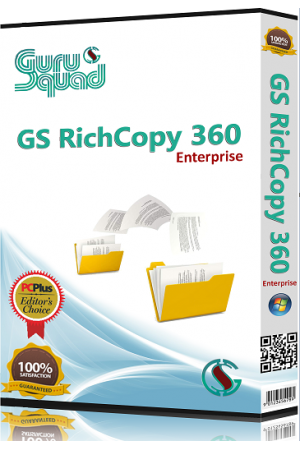
GS RichCopy 360 is GuruSquad’s premier solution for blazing-fast file copying and enterprise-grade data replication—trusted by over 20,000 organizations globally, including numerous Fortune 500 leaders. Engineered for performance, it harnesses advanced multi-threading technology to move massive data sets across on-premises servers, hybrid infrastructures, and multi-cloud environments with unmatched speed and precision. Whether you're executing routine sync jobs or orchestrating complex migrations, GS RichCopy 360 delivers rock-solid reliability, end-to-end security, and scalable efficiency.
Services
- Core Features
- Integration & Automation
- Security & Resilience
- Cloud & Network Enhancements
- Support & Reliability
- Enterprise file synchronization, server migration, and cloud-to-cloud transfer
- Enterprise file transfer, synchronization, and migration — built for IT teams
- Servers, clouds, anything in between
- Built for Speed & Automation
- Proven at enterprise scale
- TRUSTED AT SCALE
- Two decades of enterprise file transfers
- 0M+ · Installations
- 0k+ · Customers
- Moving large data shouldn't be this hard
- Transfers that drag on for days · A single Robocopy job stalls overnight. A multi-terabyte migration eats the whole weekend. Your timeline slips again.
- A patchwork of scripts and tools · Robocopy here, a custom script there, a cloud vendor's migration utility somewhere else. Nothing talks to each other.
- One failed transfer breaks everything · No alerts. No checkpoints. A network blip kills the job and you're starting over from scratch — if you even notice in time.
- Cloud tools that route through their servers · Your sensitive data flowing through someone else's infrastructure. Security teams hate it. Compliance teams flag it.
- Move data between any source and any destination · GS RichCopy 360 connects servers, NAS devices, and every major cloud. Migrate, sync, and back up directly between them — straight from your own network, never through ours.
- SOURCES
- DESTINATIONS
- High performance, even at enterprise scale
- One tool for migration, sync, and backup
- No size limits, no file count limits, no compromises
- Your data stays on your network
- Three ways to transfer, sync, and migrate your data · Choose the right engine for the job — local network copies, native cloud integrations, or accelerated long-distance transfers. Same interface, same reliability, optimized performance for each scenario.
- Most common · Local & network file transfers Move and sync files across Windows servers, NAS devices, and shared drives — with the kind of Windows-native fidelity that most tools fail at.
- Modern cloud · Native cloud migration & sync Direct integration with every major cloud provider's native API — no third-party libraries in between. Faster, more reliable, and built to support every feature
- Proprietary tech · TCP RTA technology for WAN & small files Engineered for the two scenarios where standard transfer tools struggle: high-latency WAN links and millions of tiny files.
Prices
| GS RichCopy 360 | $49.99 |
| GS RichCopy 360 Enterprise | $149 |
| GS RichCopy 360 Standard | $149 |
Prices as shown on the website when it was last read; the business may have changed them since.
Frequently asked questions
Products
Products GS RichCopy 360 Enterprise GS RichCopy 360 Standard Compare editions →
Resources
Resources Release notes Tutorials Forum Blog Documentation Security & compliance
Company
Company About us Contact Partners Resellers
Is this a subscription or a one-time purchase?
It's a perpetual license — pay once and own that version. Optional annual maintenance keeps updates and support current.
What does maintenance / support cost, and is it required?
Maintenance is optional and renews annually — typically 20 to 25% of the license price. It keeps your updates, upgrades, and support current. You can keep running the perpetual license without it; you'll simply stay on the version you own.
How do volume discounts work?
Per-license pricing improves with quantity — usually a 10 to 15% discount, with deeper savings during promotions. Contact sales for a quote tailored to your volume, including MSP, government, and education terms.
Can I upgrade from Standard to Enterprise later?
Yes. Reach out to support and they'll guide you through upgrading from Standard to Enterprise.
Is there a free trial?
Yes — just download and install it, no credit card required. The trial copies up to 5 files per folder and disables a few features (real-time sync, file and folder filters, and the move option); everything else is fully functional so you can evaluate it properly.
What is your refund policy?
Every product is try-before-you-buy, so we encourage you to evaluate the free trial first. A single license is refundable within 7 days of purchase. See our Refund Policy for full details.
What makes GS RICHCOPY 360 ENTERPRISE the Swiss Army Knife of data migration?
GS RICHCOPY 360 ENTERPRISE is robust, simple to use, and comprehensive, offering fast, reliable file transfer and synchronization solutions that overcome traditional challenges in unstructured data migration.
Can GS RICHCOPY 360 ENTERPRISE handle large-scale data migrations across multiple locations?
Yes, it offers ultimate scalability, enabling you to migrate or sync data across unlimited locations and WANs, regardless of data size or volume.
Does GS RICHCOPY 360 ENTERPRISE support cloud storage providers and hybrid architectures?
Absolutely, it supports all major cloud vendors like Azure, AWS, Google Drive, Dropbox, and more, making it ideal for hybrid cloud and multi-cloud environments.
How does GS RICHCOPY 360 ENTERPRISE ensure data security during transfers?
The software allows files to be encrypted with AES and supports bandwidth throttling, ensuring secure and efficient data transfer across networks and to the cloud.
What kind of customer support and updates can I expect with GS RICHCOPY 360 ENTERPRISE?
We offer free support and upgrades for one year, including email, phone, and remote assistance 24x7, to help you optimize your data migration and synchronization processes.
What is GS RichCopy 360 and how does it compare to Robocopy?
GS RichCopy 360 is a software designed as an alternative to Robocopy, offering similar file copying and backup functionalities with potentially enhanced features and user interface.
What are the main benefits of using GS RichCopy 360?
GS RichCopy 360 provides reliable file transfer and backup solutions, making the copying process more efficient and easier to manage compared to traditional methods.
Is GS RichCopy 360 suitable for both small and enterprise-level data transfers?
Yes, GS RichCopy 360 is designed to handle data transfers of all sizes, from small backups to large enterprise-level file management.
How user-friendly is GS RichCopy 360 for new users?
GS RichCopy 360 offers an intuitive interface that simplifies file copying tasks, making it accessible even for users new to data management software.
What kind of support and updates are available for GS RichCopy 360?
Customers can expect regular updates and professional support to ensure the software runs smoothly and remains compatible with evolving systems.