Higher Ground
Shops & Retail in Saline · Web shop on Shopify · laptopoffice.com
Higher Ground's K-12 cases have saved countless screens from damage with over a million cases being used in the classroom. Request a sample today!
- Country
- United States
- Phone
- 734-975-7500
- info@hggear.com
- Founded
- 2002
- Languages
- English
- Ships to
- United States, Canada, Mexico
- Shipping information
- Shipping page
- Returns
- within 30 days Returns page
What they sell
Web shop on Shopify: 43 products, $5.95–$50.95
Show 18 more categories
 ShockGUARD Acer Chromebook SPIN 514$41.95In stock
 PROTEx Folio$37.95In stock
 AssetGUARD$50.95–$762.95In stock
 VaultED™ Cellphone Pouch$12.95–$207.95In stock
 ShockGUARD Flip HP Fortis x360 11" G5$37.95In stock
 ShockGUARD Flip Lenovo 300e & 500e Gen3$37.95In stock
 ShockGUARD Flip Dell 3100 3110 3120 2in1s$39.95In stock
 ShockGUARD Flip Acer SPIN 511 (R757T)$39.95In stock
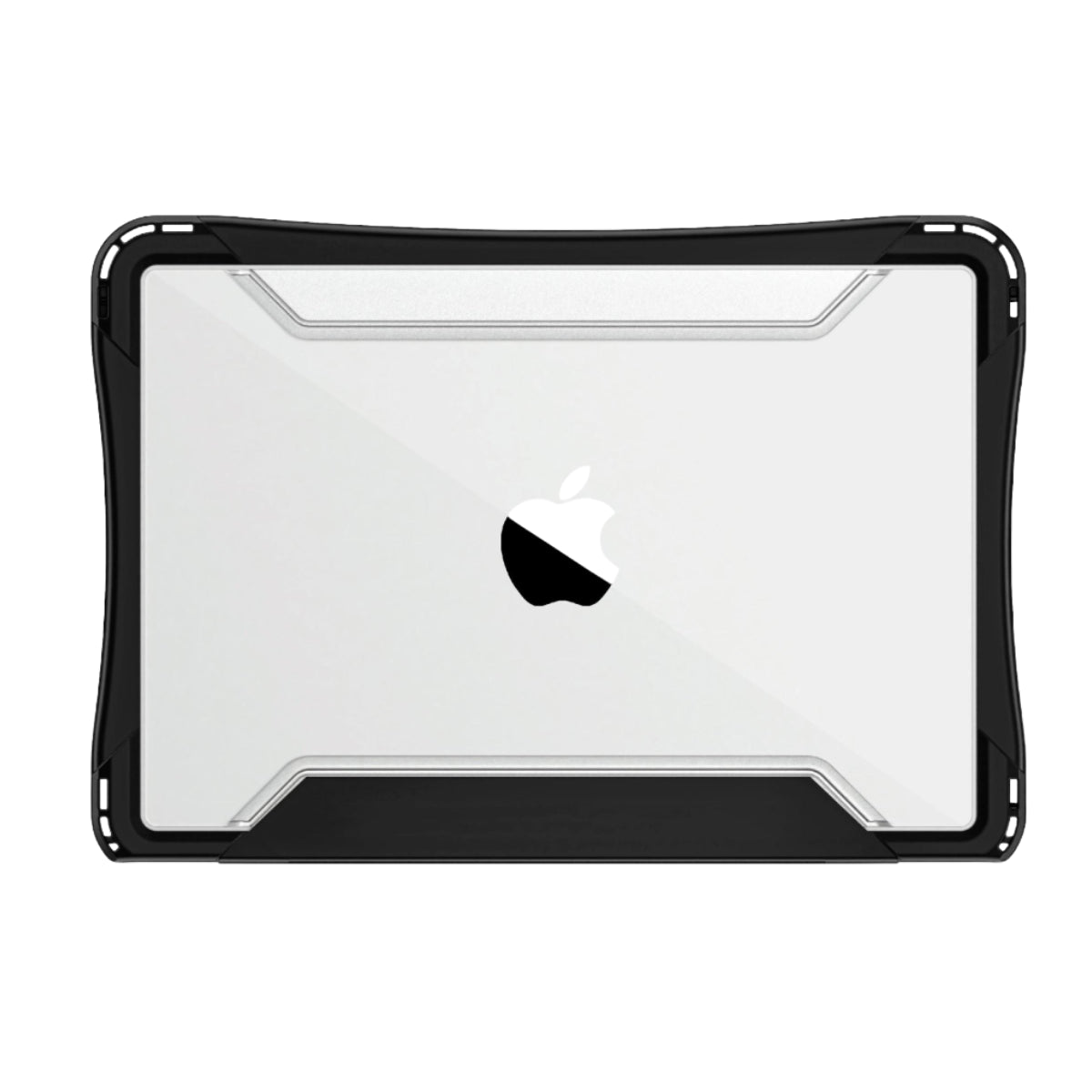
 ShockGUARD MacBook Neo$39.95In stock
 ShockGUARD Acer Chromebook 511 (C736)$39.95In stock
 ShockGUARD Lenovo 100E 4th Gen$37.95In stock
 ShockGUARD Lenovo 100E 3rd Gen$37.95In stock
12 of 43 products, prices $5.95–$50.95, as published by the shop (read from the shop 5 h ago; the shop last changed its products 24 November 2026; last change seen here 5 h ago). Prices and stock change; the shop’s website has the current ones.
About
Higher Ground was founded in 2002 by award-winning industrial designer Mark Zadvinskis and his former University of Michigan professor, Shaun Jackson. After graduating, Mark joined Shaun as a teaching assistant before the two became business partners, designing innovative products for clients including L.L. Bean, Harley-Davidson, Nike, Herman Miller, and many others. Working on a university campus, they recognized early that technology would soon become an essential part of every student's education. They also saw a problem: laptops were becoming more mobile, but the products designed to protect them often sacrificed usability.
Services
- Extreme Protection for your MacBook Neo · Protect your MacBook Neo with a premium case engineered to withstand everyday bumps, drops, and travel. The Higher Ground ShockGUARD case combines rugged protection with a slim profile that preserves the sleek design of Apple's newest MacBo
- Product details
- Always Protected. Always Ready.
- Engineered to Take the Hit.
- Engineered From the Inside Out.
- Protection That Goes Beyond the Shell
Prices
| - | €39,95 |
| MacBook Neo | €39,95 |
| MSRP | €37,95 |
Prices as shown on the website when it was last read; the business may have changed them since.
Frequently asked questions
About
About
Products
Products
Resources
Resources
Partners
Partners
Contact
Contact
AboutAbout
About Higher Ground AssetGuard+ Awards CleanShell Material Drop Testing Supported Brands Lifetime Guarantee
ResourcesResources
Blog Videos Warranty Form Customization Form FAQ
PartnersPartners
Where to Buy Deal Registration Find My Rep
ContactContact
Contact Us Find My Rep Request a Quote / Sample
Quick links
Our Story Our Guarantee FAQ Contact Higher Ground Returns Shipping Warranty Form @media (min-width: 1280px) { .footer__item--link_list-1 { width: calc(50% - var(--sp-12)); } }
Construction
TPU for shock absorptionPoly Carbonate transparent shellnon-slip TPU feetTop and bottom parts are attached for easier installation and orientation
Features & Benefits
Precision-engineered for your device for a secure, reliable fit.Dual-layer protection combines a rugged polycarbonate shell with a shock-absorbing TPU interior.Reinforced corners help protect the areas most vulnerable to everyday drops and impacts.Slim, lightweight design fits easily into backpacks, charging carts, and classroom storage.Transparent top shell keeps school logos and asset tags visible for fast identification.Full access to ports, buttons, cameras, and speakers without interfering with everyday use.
Usage
Efficient and affordable Always-On ProtectionSlim design slips easily into backpacksInstallation Guide: Remove protective film.TPU hinge provides quick visual reference point for case orientation prior to installation. (side with cut out edges is the bottom for port access) Insert the bottom first, pressing the device toward the front corners before snapping the rear bottom clips into place.With the laptop closed and on a desk, now fold the lid side over the laptop and gently press around only the perimeter’s edges until it fully clicks into place.Visual inspect. All set!