KDigitalStudio
Shops & Retail in Leland · Web shop on Shopify · kdigitalstudio.com
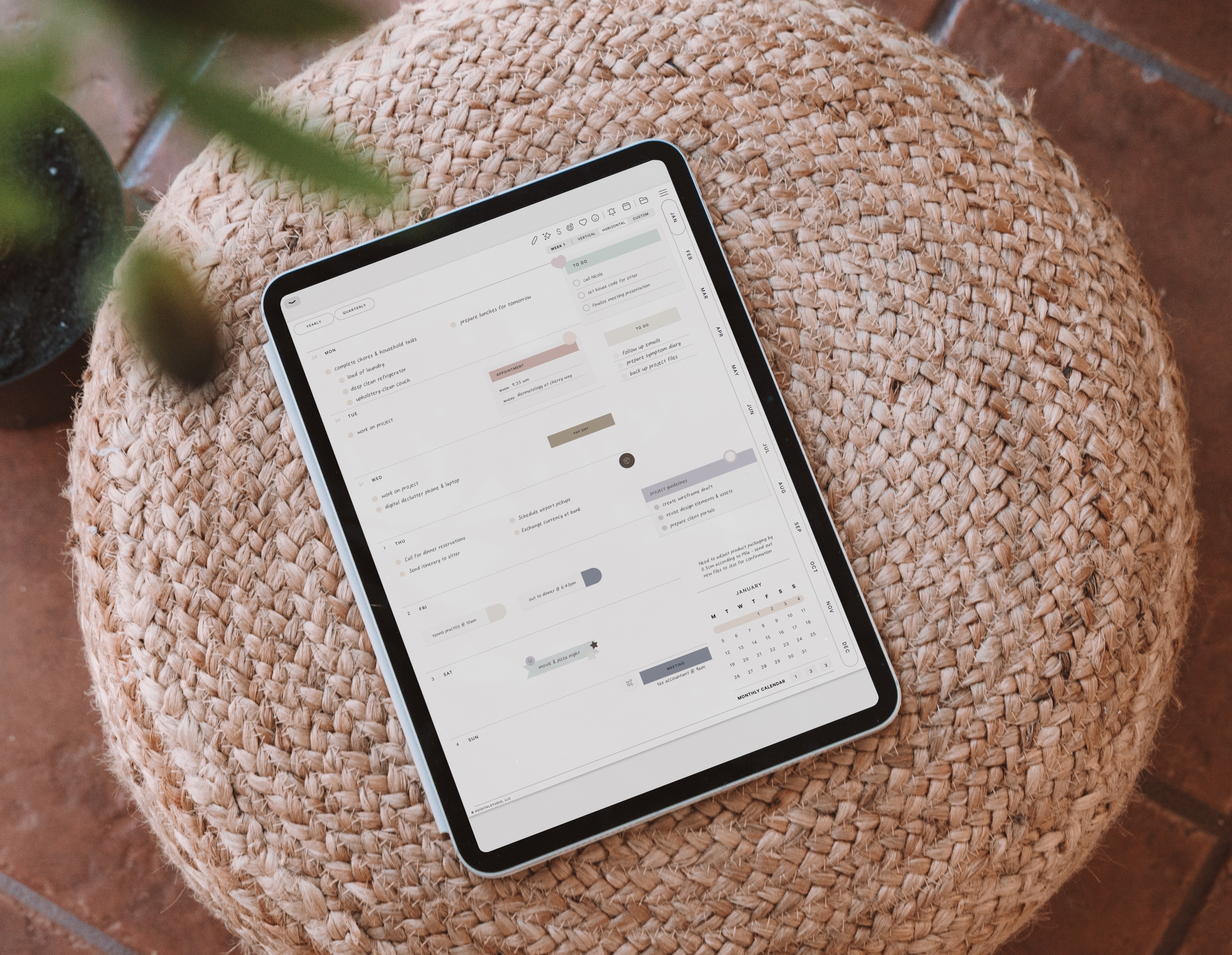
Discover digital planners, iPad templates, and tools that help you plan with purpose and play. For the love of digital organization and design.
- Country
- United States
- Founded
- 2018
- Payment
- Gift card
- Languages
- English, Spanish, German
- Ships to
- Worldwide
- Delivery
- 5-8 business days
- Shipping information
- Shipping page
- Free shipping
- from $40
What they sell
Web shop on Shopify: 189 products, $2.95–$60.95
Show 18 more categories
 Hearth & Holly Digital Stickers$8.95In stock
 2027 Mini Calendars Digital Stickers$2.95In stock
 Cyberry 2027 Digital Planner BUNDLE (Dark Mode)$55.95In stock
 Cyberry 2027 Digital Planner BUNDLE (Light Mode)$55.95In stock
 Cyberry 2027 Digital Planner in Landscape (Dark Mode)$29.95In stock
 Cyberry 2027 Digital Planner in Landscape (Light Mode)$29.95In stock
 Cyberry 2027 Digital Planner in Portrait (Dark Mode)$29.95In stock
 Cyberry 2027 Digital Planner in Portrait (Light Mode)$29.95In stock
 2027 Household Digital Planner$18.95In stock
 2027 Daily Log Planner$13.95In stock
 Back to School Stickers$4.95In stock
 Tech Girly Digital Stickers$8.95In stock
12 of 189 products, prices $2.95–$60.95, as published by the shop (read from the shop 6 h ago; the shop last changed its products 22 November 2026; last change seen here 6 h ago). Prices and stock change; the shop’s website has the current ones.
About
Design your dream digital planner for less ✨ Save on course enrollment for Black Friday! We use cookies to keep our site running smoothly, plus analytics, advertising, and social media to improve your experience and show you relevant content. By clicking "Accept," you're cool with all of these. If you’ve ever felt overwhelmed by scattered notes, half-finished plans, or a “system” that doesn’t stick — welcome. My digital planners and templates are designed to be simple to use, satisfying to open, and supportive enough to grow with you .
Services
- 12-Subject Digital Notebooks with Tab Customizer
Prices
| 12-Subject Digital Notebooks with Tab Customizer | €14.95 |
| Journals | €3.95 |
| All products | €3.95 |
Prices as shown on the website when it was last read; the business may have changed them since.
Frequently asked questions
Shop
Shop
Resources
Resources
Which apps does Cyberry work in?
Any PDF annotation app with hyperlink support, like Goodnotes, Noteful, Notability and Samsung Notes. Grab the free sample to test it in yours.
How do I access the Studio to customize my Cyberry planner?
After purchase, you will receive an email with password-access to the Studio to customize and download all of the files associated with Cyberry 2027.
Should I get light or dark mode?
Download the sample in both and see which you reach for. Or get the bundle and switch with the seasons.
How does the shortcut integration work?
You'll download a shortcut integration we built that "talks to" Apple Calendar, Google Calendar, and Reminders in the Studio.You can run the shortcut by clicking the respective icons in Cyberry 2027 and then set all-day or hourly events in Apple and Google Calendar, or set Reminders.It is simply a means to not leave your digital planner while adding events or reminders to your other digital apps. What you write in your digital or add to your Apple/Google Calendar does not sync back to your digital planner or calendr.
How do I redeem my free launch day gift?
Buy any Cyberry 2027 planner during launch with the Mini Calendars 2027 in your cart to redeem them for free at checkout.Again, please make sure you have added the Mini Calendars to your cart to redeem for free.
What is a digital planner?
It’s a planner for your iPad or tablet! A digital planner is just like a paper planner but instead of paper, it is a PDF file (which stands for portable document format).In other words? A digital planner is simply a more portable version of a paper planner. They are coded with these things called hyperlinks, which allow you to tap the tabs, buttons, text, etc., to jump between the pages of the planner.The planners can then be imported into apps that allow you to ‘mark up’ PDF files. You’re probably already familiar with Adobe Reader (like on your computer), but you can import PDFs into apps li
How do I use the hyperlinks in a digital planner?
Most apps have a reading mode that you must enter to click the links. Alternatively, you can long-press and click "Open Link" in GoodNotes. Here's how to use reading mode in an app like GoodNotes.
How do I install fonts on iPad?
Check out this tutorial to learn how to install fonts on iPad.
What do I need to get started?
In addition to your iPad/tablet, it is very beneficial to have an Apple Pencil/stylus (possibly a keyboard, if you prefer to type) and basic knowledge of your preferred note-taking app (whether it is GoodNotes, Notability, etc).
How do I access free downloads?
Sign up for our newsletter. You'll receive a link to access all free downloads.
I can't find my password to download the file(s) of my purchase
If you purchased a digital download that is asking for a password, the password is located inside the same PDF access file you downloaded. Check right above or below the button you clicked. The password is often in larger or bolder letters than the rest of the instructions in the file.Please take the time to read the instructions of your digital planner access as password-access is included inside and walks you through how to download it step-by-step.
The hyperlinks in my planner aren't working
First, make sure you are in reading mode or alternatively, long-press and click "Open Link" to navigate your digital planner if using GoodNotes. Here's step-by-step instructions from GoodNotes on switching to reading mode. If you are in reading mode, digital planner hyperlinks will break if you delete pages.Thus, it is recommended to never delete pages. You will need to recover the pages from the trash bin or redownload & import a fresh copy of the planner.Please make certain that your app is updated as well.
I'm experiencing weird bugs or glitches while using the planner
Unfortunately, this is due to bugs or glitches related to the app you are using. Digital planners are simply documents, so they won't experience glitches, non-loading pages, etc.You can view a full list of confirmed issues with GoodNotes here.It is recommended to reach out to the app developers directly with these issues, and as unfortunately, KDigitalStudio is not affiliated with these companies and cannot provide app support.
I'm getting an "unsupported file type" error
Please be sure that you are only importing compatible file types for the app you are using. In general .zip files are incompatible with note-taking apps and will need to be unzipped prior to importing your files.Please only import .goodnotes, .collection, and .pdf files into Goodnotes app. If you are and still receiving this error, quit the app and try again. You may also be experiencing an app-related bug/glitch. Report the issue to Goodnotes. We also have a workaround tutorial for this bug until this issue is resolved. by Goodnotes.
My digital stickers appear "glitched"
Unfortunately, this is due to the GoodNotes 6 update. We are working tirelessly to update any stickers affected by the GoodNotes 6 since unfortunately, we are still waiting for an update on this fix from the GoodNotes team themselves. Once an update is available that fixes the glitching stickers due to the GoodNotes 6 update, you'll receive an email with the updated files.
I cannot join the Cyberry Community on Discord
Unfortunately, it's a glitch with Discord right now. If you use any other browser than Safari to accept the invite link, it will work as expected. After accepting the invite, you'll be able to go back to using the Safari browser as usual.
Do you offer refunds?
Due to the digital nature of all products, we cannot offer refunds, returns, or exchanges for any reason. Please double-check your cart before placing an order, and respect our policies. We're a small business. This policy is posted under every product in our shop, as well as in the footer of our website prior to any purchase being made.We offer a separate refund & returns policy for our physical products. You can find the details of our refunds policy here.
I hit the maximum download limit for my order
That's no issue! Reach out to support, and we can refresh the limit so you can redownload your file(s).