
krkmusic
Shops & Retail in Nashville · Web shop on Shopify · krkmusic.com
KRK Systems has been Behind Great Music for almost 35 years. Learn more and shop for Studio Monitors, Headphones, Subwoofers, Speakers, Monitoring Applications and Room Correction Technology.
- Country
- United States
- Phone
- 1-800-444-2766
- service@gibson.com
- Payment
- Maestro
- Languages
- English
- Ships to
- United States
- Delivery
- 2 business days
- Shipping information
- Shipping page
- Free shipping
- from $49.99
- Returns
- within 30 days Returns page
What they sell
Web shop on Shopify: 51 products, $4–$1,349.99
Show 5 more categories
 KRK Mix Monitor 5 Pack$299In stock
 12sHO Powered Studio Subwoofer$1,349.99In stock
 KRK V4 Series Five Powered Studio Monitor$649In stock
 KRK V6 Series Five Powered Studio Monitor$849In stock
 KRK V8 Series Five Powered Studio Monitor$1,049In stock
 Kreate 5 Latte Powered Studio Monitor, Exclusive$169In stock
 Kreate 8 Powered Studio Monitor$199In stock
 Kreate 5 Powered Studio Monitor$149In stock
 Kreate 3 Powered Studio Monitor, Pair$179In stock
 S12.4 Grille with Gasket$31.99In stock
- S10.4 Grille with Gasket$22.99In stock
- S8.4 Grille with Gasket$16.99In stock
12 of 51 products, prices $4–$1,349.99, as published by the shop (read from the shop 3 days ago; the shop last changed its products 22 November 2026; last change seen here 3 days ago). Prices and stock change; the shop’s website has the current ones.
About
Next-generation three-in-one monitoring flexibility for every detail of every mix The KRK Kreate Series offers legendary KRK audio performance in an affordable, Bluetooth-ready studio monitor, perfect for emerging musicians, podcasters, and creators. KRK subwoofers deliver tight, accurate, and defined bass, while their highly efficient Class D power amplifiers dramatically increase transient response, control, and punch.
Services
- Classic Series Powered Studio Monitors · Building on KRK’s legacy of accuracy and performance, the KRK Classic Series...
- GoAux Series Portable Powered Studio Monitors · The KRK GoAux 3 and GoAux 4 portable monitor systems offer a...
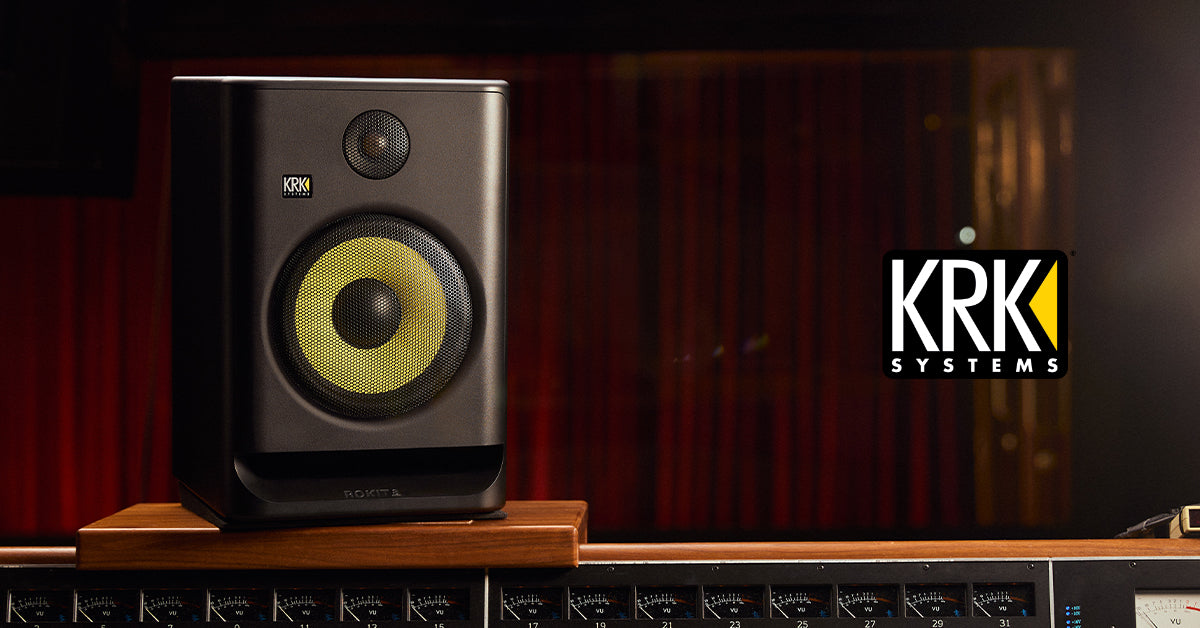
- Rokit® Generation Five Powered Studio Monitors · THE MOST ADVANCED PROFESSIONAL MONITORS IN THEIR CLASS Elevate your audio production...
- Subwoofers · For years, KRK subwoofers have been the choice for accurate low frequency...
- V-Series 4 Powered Studio Monitors · The KRK Systems V Series 4 near-field studio monitors are specifically designed...
- Accessories · Cables, cushions, adapters, mounting accessories and grills. Find everything you need for...
Frequently asked questions
Monitors
Monitors V-Series Five Kreate Series Rokit Generation Five Mix Monitor 5 Pack
Explore
Explore Artist & Users News US Dealers US Online Dealers International Distributors
Support
Support FAQ Downloads & Manuals Warranty Contact Legacy Products
There is no power
Check to see if the power cord is plugged into both the IEC socket on the rear panel of the active speaker and into the AC mains. Verify that the AC mains are active by using an approved AC tester or simply connect a lamp with working light bulb. In some cases, the AC mains may be controlled by a light switch or power strip suppressor that may not be in the 'on' position.Verify that the power switch on the active speaker is in the 'on' position.Check to see if the AC mains voltage is matched to the correct operating voltage requirements. If the AC mains voltage is higher than the selected volt
There is no sound
Repeat steps in the previous troubleshooting section above before continuing to the next steps.Check to see if all other audio devices using the same AC outlet are still operating.Check to see if the audio source cable is plugged into both the source output and the monitor input.Check to see if the System Gain pot is turned up fully clockwise. The System Gain pot on (monitor models E8B, VXT and ROKIT2 series should be set to + 6 dB). For all other models not mentioned please consult the user manual that came with the product.Check to see if the signal source (E.g. mixing console, work station,
Monitor suddenly stops working
Turn the monitor level down or off.Repeat steps in the troubleshooting sections above before continuing to the next steps.Carefully check to see if the amplifier's back plate is hot! If the monitor has been running at highest power output for an extended period of time, it could be that the unit has become overheated and the protection circuitry has shut the system down momentarily. The monitor provides maximum circuitry protection against AC power surges, amplifier overdrive, and overheating of the amplifiers. Turn the monitor off then wait 30 minutes to allow the back plate to cool down. Tur
Sound quality changes
Repeat steps in the previous troubleshooting section above before continuing to the next steps.It is possible that the change in sound quality is due to changes in the room or listening position. Low frequencies (bass response) can be increased or reduced by changes such as furniture and/or large equipment placement. Try moving the speakers or listening area a different position or return the room back to where the sound quality was acceptable.Disconnect the signal cable at the input of the monitor and adjust the System Gain or volume control to the minimum setting. With power on, place your e
Monitor hisses, hums or makes other loud noises
Make sure that the power cord is plugged snugly into the IEC socket on the rear of the monitor.Check the connections between the signal source and the monitor. Make sure all connections are secure and that the cable is not damaged or wired incorrectly.If you are using an unbalanced output to balanced cable conversion, make sure it is correct. The shield is connected to the unbalanced ground of the source and pins 1 and 3 of the XLR (or the sleeve and ring on the ¼" TRS jack).All audio equipment should use the same ground point. Check all other devices using the same AC output in the building l