
Magview
Shops & Retail in Lake Oswego · Web shop on Shopify · magviewgear.com
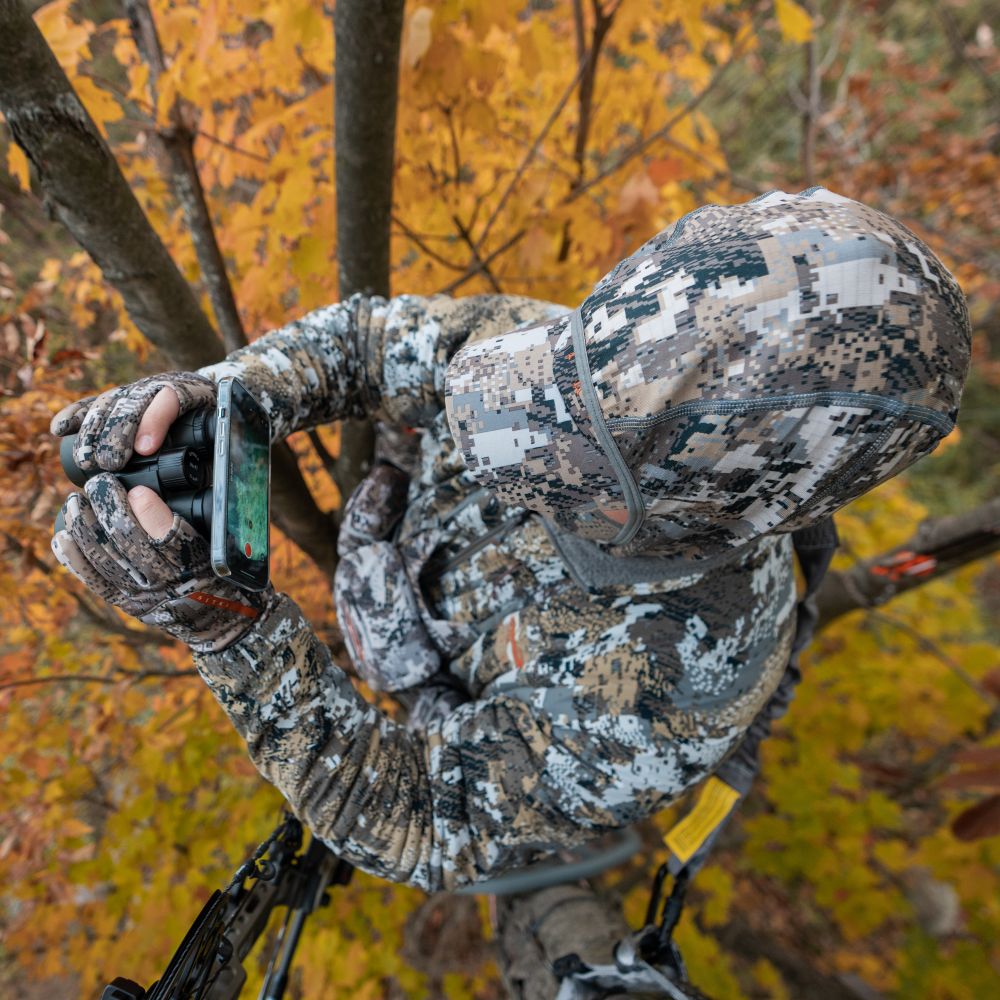
Capture clear photos and video through spotting scopes and binoculars with MAGVIEW magnetic phone adapters, plates, and digiscoping systems.
- Address
- 17555 SW 65th Ave. Map
- Country
- United States
- Phone
- 503.407.7130
- Languages
- English
- Ships to
- Worldwide
- Free shipping
- from $150
What they sell
Web shop on Shopify: 12 products, $12.99–$149.99
 Magview Digiscoping Cleaning Tool – Powered by LensPen®$12.99In stock
 Magview Cap$19.99In stock
 S1 Mini SYNC™ Phone Plate$19.99In stock
- S1 SYNC™ Phone Plate$19.99In stock
 MagSafe® Compatible Phone Plate$34.99In stock
 Phone Plate 3 Pack$14.99In stock
 B1XL Binocular Adapter$99.99In stock
- B1 Digiscoping Adapter$99.99In stock
 S1 Mini Digiscope Adapter w/SYNC$149.99In stock
- S1 Digiscope Adapter w/SYNC$149.99In stock
 Magview Hoodie$54.99Out of stock
 Magview Tee$19.99Out of stock
12 products, prices $12.99–$149.99, as published by the shop (read from the shop 23 h ago; the shop last changed its products 22 November 2026; last change seen here 23 h ago). Prices and stock change; the shop’s website has the current ones.
About
MAGVIEW was created with one goal in mind — make capturing content through your optics faster, simpler, and more reliable than ever before. Traditional digiscoping systems were bulky, slow to use, and frustrating in the field. We knew there had to be a better way. So we built it. MAGVIEW introduced the first premium magnetic digiscoping system designed to instantly connect your phone to your spotting scope or binoculars with unmatched speed and simplicity. No clamps. No complicated setup. No missed opportunities.
Prices
| Free shipping on orders over | $150 |
| Regular price | $99.99 |
Prices as shown on the website when it was last read; the business may have changed them since.
Frequently asked questions
Turn off Macro on your Smartphone for Digiscoping
You must turn off the Macro mode on many smartphones before trying to align your phone to the digiscope adapteriPhone (Pro models):Simply tap the yellow flower icon in the bottom-left corner of the camera viewfinder. The icon will turn grey (with a slash through it), indicating macro mode is off.Samsung Galaxy (Ultra models):Bring your camera close to an object until two intersecting yellow circles (or yellow flower) appear in the bottom-left corner of the viewfinder. Tap that yellow icon to disable it.Google Pixel (Pro models):Tap the small gear/settings icon in the bottom-left corner of the
I can't seem to find the app or make it work
Smartphone updates often caused our app to stop working. Because of this, we have discontinued the app. Please use your phone’s built-in camera app instead.
Where do I mount my phone plate?
If you use a case, mount it to the outside of your case, or directly to the back of your phone if you don't use a case. But you should be using a case.
Additional tips for use smartphone
Perform an internet search on your phone model with specific questions such as:Turn on/off camera gridDisable macro Max optical zoom on on my cameraTurn on/off vibration control
Zoom in a bit
Zoom to 1.5x-2x on your smartphone to eliminate the black circle around the image and create full-frame photos and videos.
What is the difference between the S1 and B1 adapters?
S1 (Spotting Scope Adapter): Designed for larger optics like spotting scopes. It features a flip-cap design that also acts as a lens protector when not in use.B1 (Binocular Adapter): A low-profile, lightweight adapter specifically for binoculars. It is designed to stay on your binos without interfering with your normal field of view.
Will the Magview adapter fit my specific optic?
Magview adapters are designed to be universal based on the outer diameter of your eyepiece:S1 SYNC (Standard): Fits eyepieces 51mm – 60mm.S1 Mini SYNC: Fits eyepieces 38mm – 49mm.B1 (Standard): Fits eyepieces 38.5mm – 43mm.B1 XL: Fits eyepieces 44mm – 48mm.
Do I need a special phone case to use Magview?
No! That is one of Magview’s biggest advantages. You simply adhere a slim stainless steel Phone Plate (included) to your existing phone or case. This allows you to jump between your spotting scope and binoculars instantly.For those who have a MagSafe-compatible case, check out our new MagSafe Compatible Phone Plate.
Can I use Magview on a rifle scope?
Not recommended. Magview adapters are designed for the generous eye relief of spotting scopes and binoculars. Because rifle scopes require specific eye relief and have significant recoil, using a phone adapter can lead to poor image quality or potential injury.
I have a phone case with a kickstand. Will the plate fit?
The Magview Phone Plate requires a flat surface of approximately 2.5 inches by 3.5 inches. If your case has a heavy texture, a built-in ring, or a kickstand, the plate may not adhere properly. We recommend a smooth, hard-shell case for the best results.
What is "SYNC" technology?
SYNC™ is Magview’s self-aligning magnetic system. It uses a specific magnetic pattern to automatically center your phone’s camera over the optic lens. This eliminates the "fiddling" usually required to get a black-ring-free image.
Is there a dedicated app?
Smartphone updates often caused our app to stop working. As a result, we have discontinued the app. Please use your phone’s built-in camera app instead.
Where are Magview products made?
All Magview products are proudly designed, manufactured, and assembled in the USA.
What is the return policy?
Magview accepts returns or exchanges on items in new condition with original packaging within 30 days of the original ship date (for purchases made directly via their website). Customers are responsible for return shipping costs.
What kind of warranty do you offer?
Magview systems are fully guaranteed against defects in materials or workmanship. This does not cover normal wear and tear, accidents, or improper use (like dropping your optics).