Sonderpath Studio
Shops & Retail in Poole · Web shop on Shopify · sonderpathstudio.com
From first enquiry to final handover, these Interior Design templates help you lead conversations, set expectations, and guide decisions without rewriting the same thing for every client.
- Country
- United Kingdom
- Payment
- iDEAL
- Languages
- English
- Ships to
- Worldwide (55 countries)
- Shipping information
- Shipping page
What they sell
Web shop on Shopify: 38 products, £50–£394.55
Show 11 more categories
 Kinto | Interior Design Welcome Guide for Client Onboarding£58.72In stock
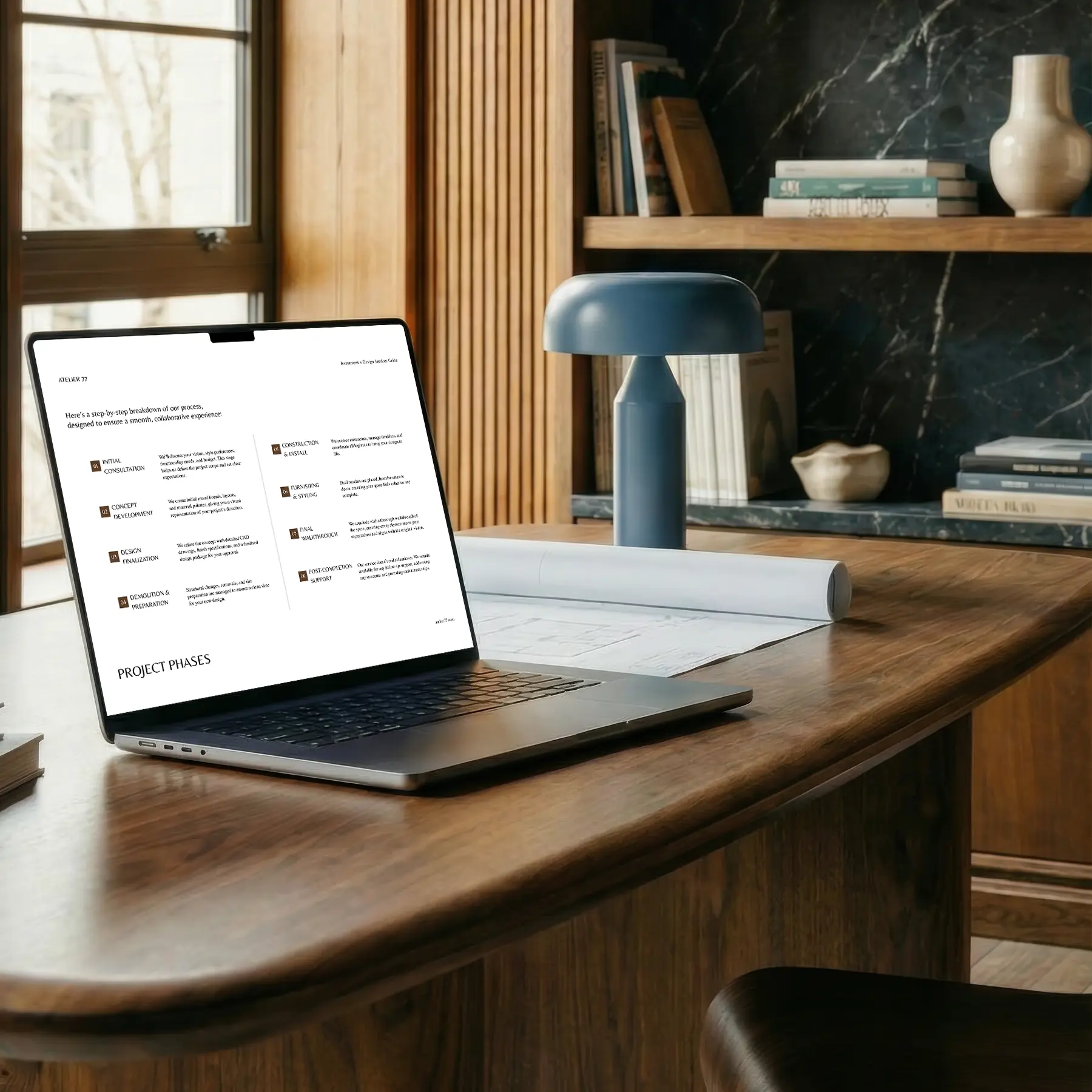
 Kinto | Interior Design Investment and Services Guide Template£58.72In stock
 Kinto | Interior Design 3-in-1 Template Bundle - Design Presentation, Proposal, and FF+E Schedule£149.45In stock
 Kinto | Interior Design FF+E Schedule Template£58.72In stock
 Kinto | Interior Design Fee Proposal Template£58.72In stock
 Kinto | Interior Design Presentation Template£64.05In stock
 Bianchi | Squarespace Website Template for Interior Designers£359In stock
 Franke | Interior Design Studio Template Kit£394.55In stock
 Franke | Client Handover and Care Guide Template£80.07In stock
 Miro | Interior Design Studio Template Kit£375.20In stock
 FFE Schedule and Project Specifications Guide Template Kit | Linear Layout£94.40In stock
 Bianchi | Interior Design Studio Template Kit£375.20In stock
12 of 38 products, prices £50–£394.55, as published by the shop (read from the shop 2 h ago; the shop last changed its products 25 November 2026; last change seen here 2 h ago). Prices and stock change; the shop’s website has the current ones.
About
Boundaries are healthy. Clear documents set clear expectations. When clients understand the process, they trust you.Protect your profit. Many designers undercharge because they lack confidence in their paperwork. Our tools help you define your value and secure your fees.Details matter. Your client communication should be as considered as your interiors. We believe in clean, quiet design that cuts through the noise.
Services
- Let the enquiry reach the next stage informed · The guide provides a considered order for explaining your studio, services, process, fee approach and working expectations. Prospective clients can review the principal information before the call, while you retain responsibility for decidi
- What the guide covers
- Software & Specifications
- FAQs
- Complete Your Client Journey
- Studio Reviews
- Customer Reviews
- Recently viewed
Prices
| Atelier 77 | Investment and Design Services Guide Template | €52.50 |
| Miro | Investment and Design Services Guide Template | €52.50 |
| Franke | Investment and Design Services Guide Template | €52.50 |
Prices as shown on the website when it was last read; the business may have changed them since.
Frequently asked questions
Do I need this for every project?
It depends on scope. For full renovations with multiple material specifications, this document adds significant value. For smaller styling projects, you might use only a few sections or skip it entirely. The template is fully customisable, so you include only what applies.
What's included in the Client Handover and Care Guide template?
Complete care instructions for common interior finishes and furnishings, organisational templates for warranties and vendor contacts specific to your project, plus a feedback form to capture client insights while the experience is still fresh.
How long does it take to customise?
If your project information is organised, under an hour. The structure and care categories are already in place. You are adding your specific details rather than building the document from scratch.
What is your refund policy?
Due to the digital nature of our products, we don't offer refunds and exchanges. Please read the product description carefully before making a purchase. If you have questions or need help before making a purchase, please don't hesitate to reach out to us.
Can I edit the pre-written care instructions?
Yes. The included text covers common luxury finishes, but every section is fully editable. You can adjust the language, swap categories, or add new sections to match exactly what you specified for the project.
Is technical support available?
Yes, technical support is available to assist you. We recommend starting with our comprehensive help guide, which addresses common questions and provides detailed instructions. If you need further assistance, feel free to reach out to us through our contact page. Please note: Our templates are designed for designers who are already familiar with the software they're offered in.
What is your shipping policy?
At Sonderpath Studio, we exclusively sell digital products. Once your payment is successfully processed and your account is registered and verified, you will receive instant access to your digital downloads. No physical products will be shipped.Delivery ProcessAll digital products are delivered instantly via email and available for download in your registered and verified account upon payment confirmation.You will also receive a confirmation email with a download link for easy access.If you encounter any issues accessing your digital products or have any questions, please reach out to us at in
How do I access my purchased templates?
After your purchase, you’ll receive an order confirmation email. Once your order is processed you’ll immediately gain access to your template library. Please make sure to login with the same email you used at checkout.You can also access your Template Library anytime by signing in to your account. Just note that it may take a few minutes (typically up to 3) for your templates to appear after purchase.In some cases, there may be a short delay if additional checks are needed; usually related to billing or account details. If that happens, we’ll follow up with you via email as soon as possible.
I've paid for my order, but I haven't received my download link. What should I do?
If you haven’t received your confirmation or download email, here are a few things to check first: Check your spam or junk folderMake sure the email address entered at checkout was correctSign in to your account. Your order may already be visible in your Template Library (please allow up to 3 minutes for it to appear)If your payment appears to have gone through but you didn’t receive confirmation:Double-check that your billing address (especially the postal code) matches the one linked to your payment methodEnsure all business details were entered correctly at checkoutOccasionally, if there’s
I can’t update the logo or project details in my template. What am I missing?
In most cases, this is related to elements placed on the Parent Page (in Adobe InDesign) or the Master Slides (in PowerPoint). This is where elements like logos, footers, or background details are housed, so they won’t be directly editable on regular pages or slides.To make changes:In Adobe InDesign, go to Parent Pages (formerly called Master Pages) to edit global elementsIn PowerPoint, open the Slide Master view to update the logo, footers, or recurring layout elementsYour purchase also includes a Help Guide that covers these steps in more detail, along with answers to other common questions.
What’s the difference between Bianchi, Miro, Atelier 77, and the other collections?
They all share the same structure and template components. What changes is the creative direction: each collection has its own layout style, visual aesthetic, and typography. Every detail is fully customisable, so you can adjust colours, fonts, imagery, and layout to suit your studio rather than fitting yourself into a rigid format.
What software are the templates made in?
Canva & Adobe InDesignUsed for: Investment Guide, Fee Proposal, Design Presentation, Welcome Guide, Client Handover & Care Guide, PortfolioGoogle SheetsFFE Schedules onlyPowerPointAvailable for:Bianchi (FFE Schedule is Google Sheets)Atelier 77 (excludes Investment Guide, Welcome Guide, FFE Schedule)FrankeMiro (FFE Schedule is Google Sheets)Templeton (FFE Schedule is Google Sheets)Google FormsClient QuestionnairesFeedback Request Form (as part of the Client Handover & Care Guide template)Canva onlySocial Media Template Pack
Should I use Adobe InDesign or Canva to edit my templates?
When choosing between Adobe InDesign and Canva for your design needs, it's important to understand the capabilities and limitations of each tool to determine which best suits your project's requirements.Adobe InDesign is a professional-level desktop publishing software that provides extensive control over layouts, detailed graphic management, and sophisticated typography. It's ideal for complex design projects that require meticulous detail and precision. Since InDesign is a desktop application, it allows you to work offline, which is perfect for uninterrupted productivity.Canva is a user-frie
Didn't find your answer?
Don't hesitate to reach out to us.